
SnipeOffice on Windows Neptune
Windows Neptune is the consumer operating system Microsoft never actually shipped. It was meant to be the first NT-kernel Windows aimed at home users, replacing the Windows 9x line, and only one milestone build ever leaked: Build 5111, dated 27 December 1999. In early 2000 Microsoft folded Neptune and the parallel business project Odyssey into a single effort codenamed Whistler, which shipped in 2001 as Windows XP. Neptune is the cancelled sibling of Windows 2000, sitting on the NT 5.0 kernel and carrying a File a bug report shortcut on the desktop that the retail branch never inherited.
This article walks through what we tested on Neptune, what worked, and what did not. The short version: Snipe Cloud Office runs, three separate browsers produce a usable session, and the bundled IE falls over the moment you try to do real work in it. The one visible oddity of the screenshots is cosmetic and belongs to the test rig, not to Neptune or to SnipeOffice: our VMware instance has no display adapter Neptune ships a driver for, so the guest is stuck at 800 by 600 in 16 colours. On real hardware, we have Neptune running on a period Dell laptop at normal resolution and colour depth, this does not happen.

Windows Neptune Build 5111 booting. The “under construction” line under the Microsoft Neptune wordmark, and the 1985 to 1999 copyright, are the visible tell that this is the pre-Whistler consumer NT build rather than any shipping Windows.
The test environment
The reference machine for this article is Windows Neptune Build 5111, Evaluation copy, running in VMWare with a single CPU core, 512 MB of RAM, and an 8 GB virtual hard drive. The install disc is the standard Neptune 5111 evaluation ISO. A second CD is mounted as drive D: carrying the browser stack we prepared for testing on this vintage of Windows: installers for Netscape Navigator, Mozilla Firefox, and Opera, all offline, all on one disc. Getting installers onto a machine of this age is not always trivial, and having them local matters.
One thing worth flagging, so nobody misreads the screenshots: the desktop in every image is 800 by 600 at 16 colours. That is not Neptune’s fault and it is not SnipeOffice’s fault. Neptune runs at normal resolution and colour depth on real hardware we have it running fine on a period Dell laptop. What happened here is that our VMware instance does not present a display adapter Neptune has a driver for, so the guest falls back to the generic VGA driver. On bare metal with a supported video card this does not happen. It is a virtualisation quirk of this specific test rig, mentioned only so the palette in the screenshots is not mistaken for a rendering problem in the suite.
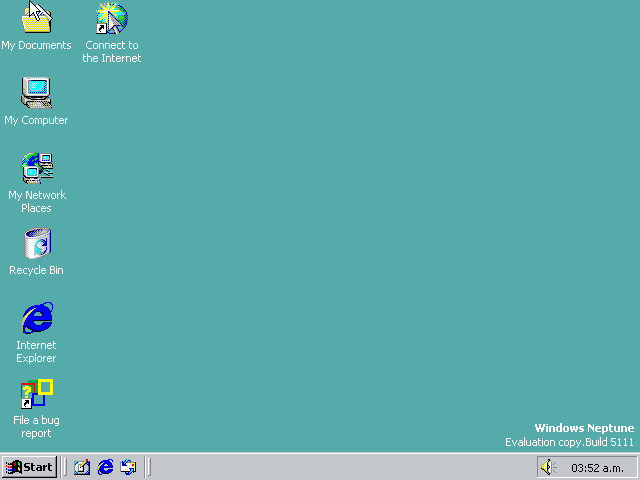
The Neptune 5111 desktop. Note the File a bug report shortcut in the icon column and the “Windows Neptune, Evaluation copy. Build 5111” banner in the bottom right. The colour palette is a driver limitation, not a Neptune design choice.
Why the router treats Neptune as Windows 2000
Snipe Cloud Office ships two channels behind one account. The modern channel uses ES modules and needs Chromium 80 or newer. The legacy channel is written in HTML 4 and classic JavaScript and targets Internet Explorer 5.5 and 6, Opera 9 through 11, older Firefox, and anything else with a working DOM and JavaScript engine. The router at cloud.snipeoffice.org reads the User-Agent string on the way in and picks a channel.
Neptune sits on the NT 5.0 kernel, the same kernel Windows 2000 uses. Every browser installed under Neptune reports itself as running on Windows NT 5.0. The router sees that and routes exactly the way it routes for a genuine Windows 2000 session: straight to the legacy channel, no manual “switch to legacy channel” click required. This was true for every browser we got running on the machine.
The bundled IE 5.5
Neptune ships with Internet Explorer 5.5 preinstalled, version 5.00.2919.3800, at 56-bit cipher strength. That is the browser you get before you install anything else, and it is the fastest way to confirm that the machine can reach cloud.snipeoffice.org at all.
The bundled IE 5.5 loads Snipe Cloud Office. The legacy Start Center renders, the sidebar tiles for Writer, Calc, Impress, myPage, and Form Manager are visible, and clicking them opens the applications. That is where the good news stops. In actual use, rendering breaks in unpredictable places, menus stutter, toolbars fail to lay out, and editing operations either do not register or leave visual artefacts that make the document unreadable. The 56-bit cipher strength is also below what Cloud prefers for a clean handshake against the current endpoint. Treat IE 5.5 on Neptune as an installation-confirmation step, not as a browser to spend time in.
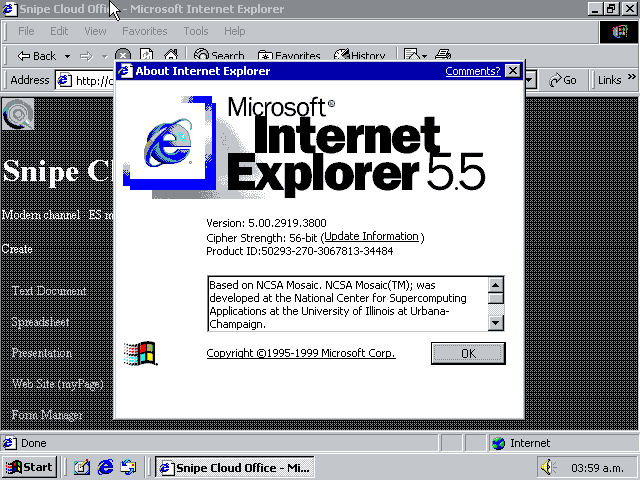
The bundled Internet Explorer About dialog on Neptune, sitting on top of the Cloud legacy Start Center. Version 5.00.2919.3800, 56-bit cipher strength. The shell loads. Everything inside it falls apart.
Netscape Navigator 9 : works cleanly
Netscape Navigator 9.0.0.6 was the first browser off the CD that produced a usable session on Neptune. The installer runs through without complaint, and the About dialog reports the User-Agent as Mozilla/5.0 (Windows; U; Windows NT 5.0; en-US; rv:1.8.1.12) Gecko/20080219 Firefox/2.0.0.12 Navigator/9.0.0.6. Underneath the Netscape branding it is Gecko 1.8.1, roughly Firefox 2 era.
Snipe Cloud Office renders correctly in Netscape 9. Writer, Calc, Impress, and myPage all open, their toolbars populate, and editing behaves the way it does on any other supported browser on the legacy channel. Documents can be created and saved back to local disk in the usual formats. The router sees the NT 5.0 token in the User-Agent and picks the legacy channel automatically. No configuration needed.
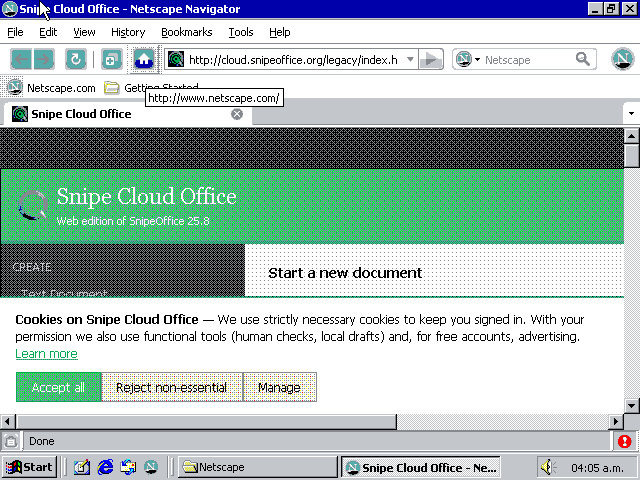
Netscape Navigator 9.0.0.6 About dialog on Neptune. The Gecko 20080219 engine and the Firefox 2.0.0.12 compatibility layer are the reason a browser last updated in 2008 still renders the current Snipe Cloud Office cleanly.
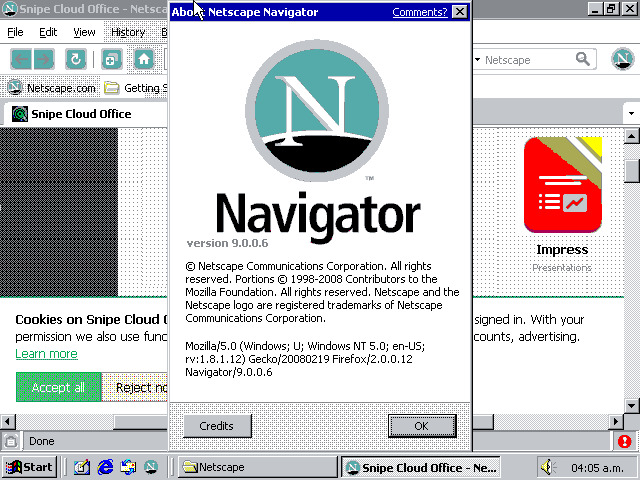
Snipe Cloud Office legacy Start Center loaded in Netscape 9 on Neptune. The teal banner, the Create sidebar, and the cookie notice all render correctly at 16 colours.
Firefox 12 : also works
Firefox 12.0 installs cleanly on Neptune from the browser-stack CD. The About dialog reports version 12.0 on the release update channel and, unusually for a browser this far behind current, “Firefox is up to date”. Firefox 12 predates the Australis redesign and still ships the traditional menu bar, tab bar, and location bar layout that fits comfortably in the 800 by 600 display.
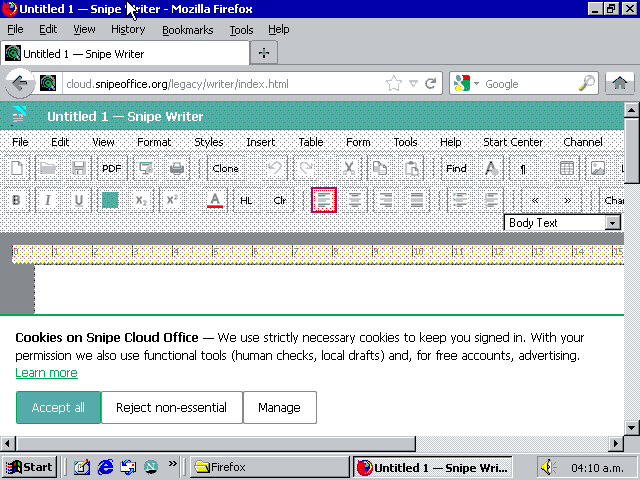
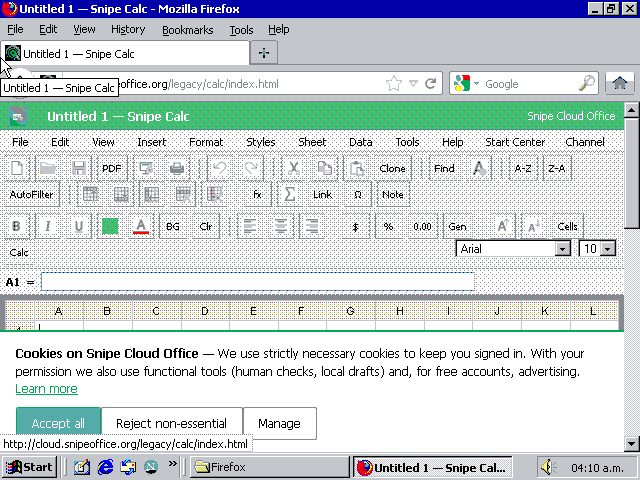
Snipe Cloud Office runs fully in Firefox 12 on Neptune. Writer opens with the full legacy menu bar and toolbar, the ruler visible and the Body Text style dropdown populated. Calc loads with the A to L column grid, the formula bar, the AutoFilter row, and the full toolbar including fx, Sum, and Note. Impress opens on a slide canvas with the “Click to add title” and “Click to add text” placeholders. myPage opens on a two-file starter project (index.html and styles.css) with the Folder List sidebar and tabbed file switching. All four applications behave the way they behave on any other supported browser on the legacy channel.
Firefox 12.0 About dialog on Neptune, reporting the release update channel as up to date for this version.
Snipe Cloud Writer running in Firefox 12 on Neptune. Full menu bar (File, Edit, View, Format, Styles, Insert, Table, Form, Tools, Help, Start Center, Channel), complete toolbar, ruler, and style dropdowns.
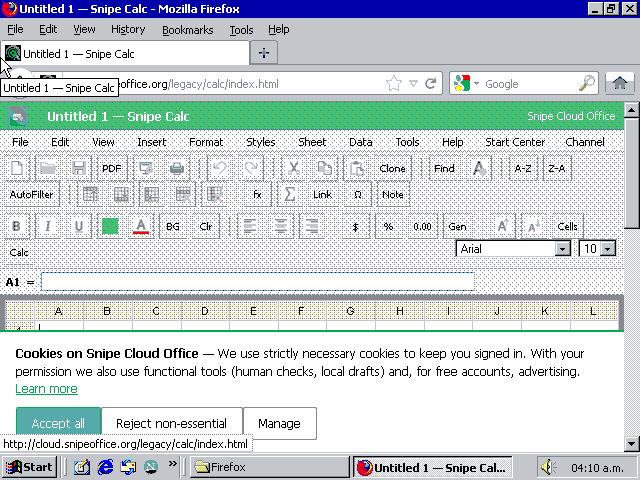
Snipe Cloud Calc running in Firefox 12 on Neptune. Full grid, formula bar, AutoFilter row, and complete formatting toolbar. This is the working spreadsheet configuration on this build.
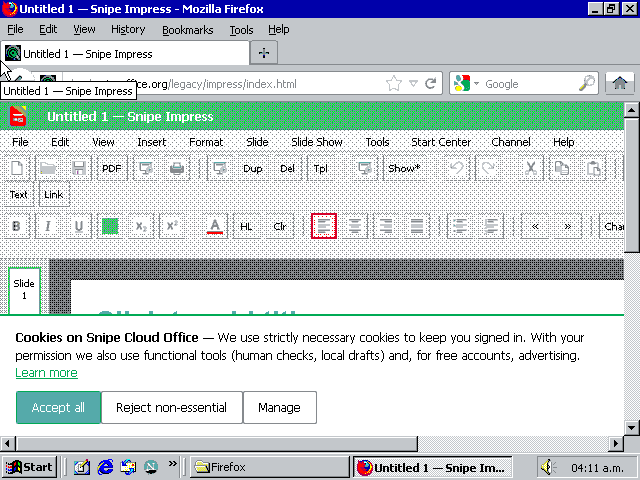
Snipe Cloud Impress running in Firefox 12 on Neptune. Slide sidebar, title and text placeholders, full Impress toolbar loaded.
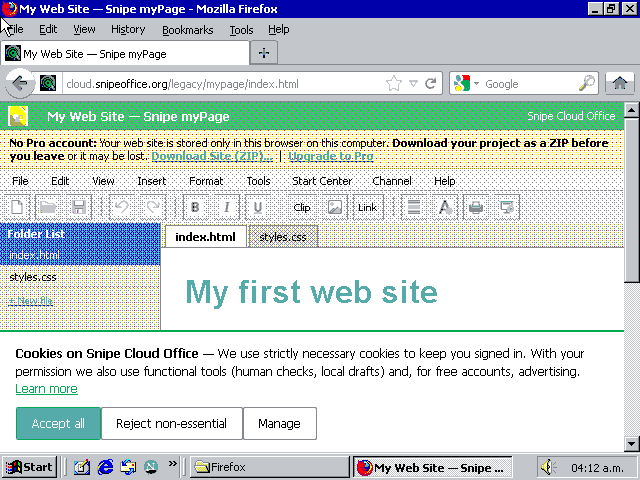
Snipe Cloud myPage running in Firefox 12 on Neptune with a live web-site project (index.html and styles.css) in the Folder List. The yellow banner is the free-tier local-only storage warning working as designed.
Opera 11.64 : the recommended browser
Opera 11.64, on the Presto engine, is the browser we recommend for Neptune. It installs cleanly on top of a stock Neptune install, it renders every module of Snipe Cloud Office correctly, and it is the fastest of the three working browsers on this machine. Opera 11 is also the last Presto-era Opera branch that remains straightforward to get onto NT 5.0 class Windows without hunting for archived installers.
The router treats an Opera 11.64 session on Neptune as a Windows 2000 session for the same reason it treats every other Neptune browser that way: NT 5.0 in the User-Agent, legacy channel selected on the first request, no manual intervention. The legacy Start Center loads with the full tile set (Writer, Calc, Impress, myPage) and the full sidebar (Create, Storage, Account, Channel). Writer, Calc, Impress, and myPage all work under Opera 11 with the same behaviour as under Firefox 12 and Netscape 9. If you have a Neptune machine and want the best experience, this is the browser to install.
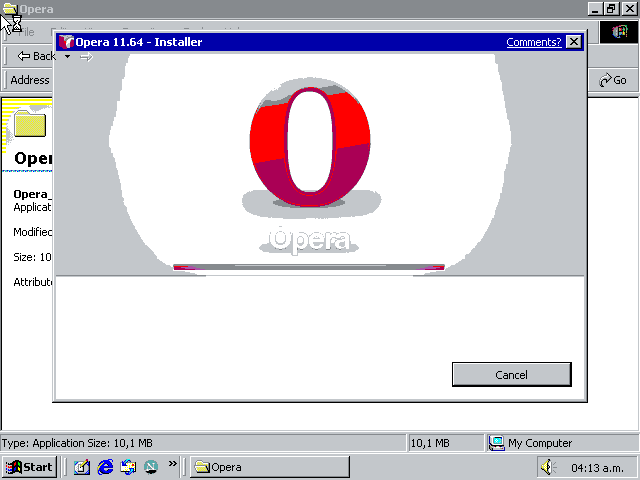
The Opera 11.64 installer running on Neptune with the “Accept and Install” prompt. The install completes cleanly and needs no additional prerequisites on this build.
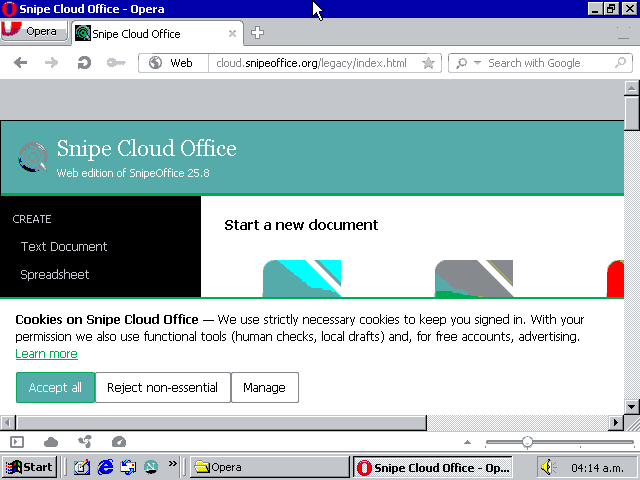
The Snipe Cloud Office legacy Start Center loaded in Opera 11.64 on Neptune. Full tile set, full sidebar, no manual channel switching required.
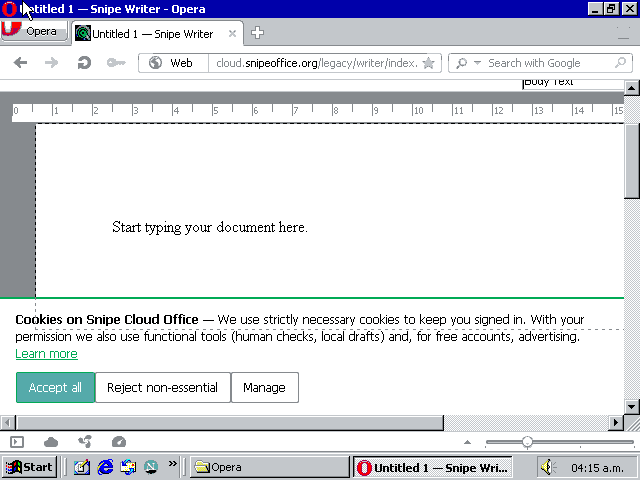
Snipe Writer running in Opera 11.64 on Neptune. Full legacy menu bar, complete toolbar row, ruler visible, Body Text style dropdown ready.
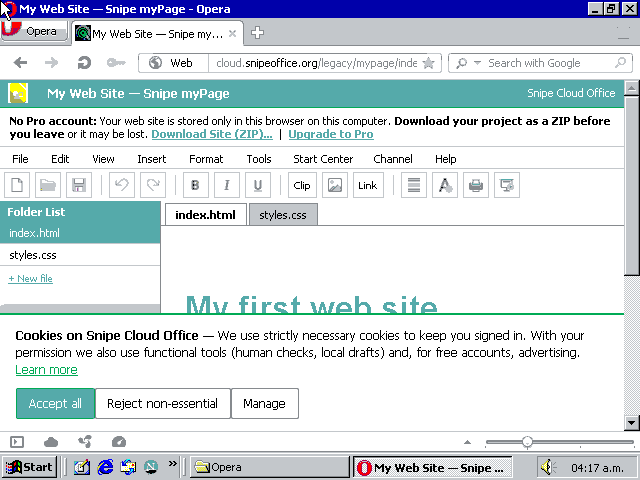
Snipe myPage running in Opera 11.64 on Neptune. Same starter project as under Firefox; myPage behaves identically across the three working browsers on this build.
The language guarantee holds
The founding fix that SnipeOffice exists to deliver works on Neptune exactly the way it works on every other platform we support. CSV, TSV, TXT, and plain-text exports from Calc on Neptune come out correctly. Chinese, Japanese, Korean, Cyrillic, Arabic, emoji, and mixed-language content survive the export intact and open correctly in any downstream tool that respects the BOM. Writer’s plain-text saves behave the same way. There is no drama to report here: the fix just works, on a cancelled build of Windows from 1999, running at 800 by 600 in 16 colours, through browsers ranging from 2008 to 2012.
Practical guidance
If you have a Neptune machine and want a working office suite on it, the shortest path is to install Opera 11.64, point it at cloud.snipeoffice.org, and use Snipe Cloud Office through the legacy channel that the router will select for you automatically. Netscape Navigator 9 and Firefox 12 are equally usable secondary options if a Mozilla-lineage engine is preferred. All three cover Writer, Calc, Impress, and myPage. Documents saved locally can be opened on any modern Windows, macOS, or Linux machine and round-trip cleanly.
Do not spend time on the bundled IE 5.5 beyond confirming that it loads the Start Center. The shell renders and then the applications fall apart inside it, and the 56-bit cipher is below what the current endpoint prefers. Form Manager and Save to Cloud are not available on Neptune because both are modern-channel features and no browser we got running on this build reaches the modern channel. Local save through the browser’s download flow is the storage model here, and on a machine of this vintage that is arguably the right place for a document to live.
Neptune is a curiosity, not a daily driver. But it is a curiosity that can now open a modern document, edit it, and save it back out in a format a colleague on Windows 11 will open without noticing where it was written. That is the whole point of what SnipeOffice does, and it works on a build of Windows that Microsoft cancelled twenty-six years ago and never shipped.