

SnipeOffice on Windows 96 (Nashville)
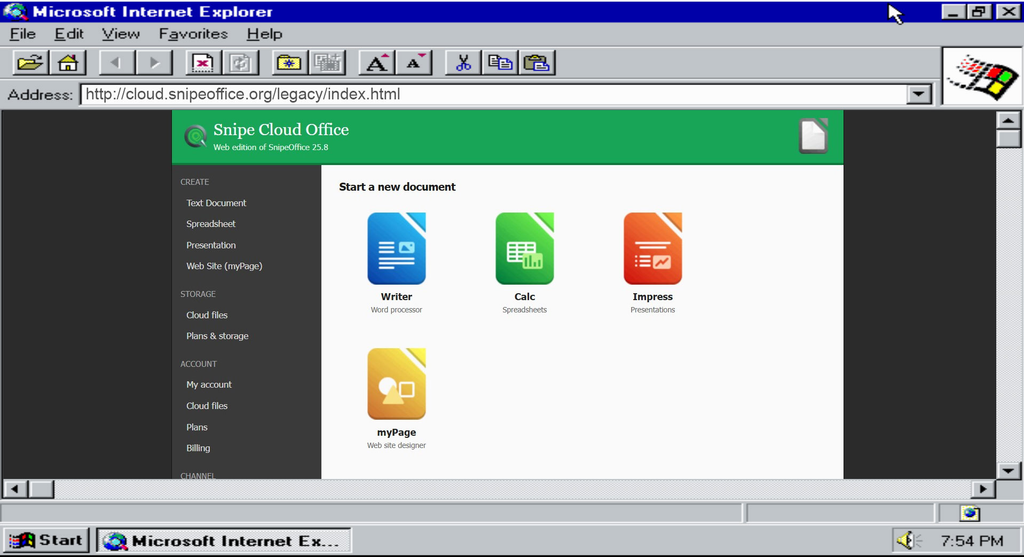
Snipe Cloud Office, legacy channel, running in Internet Explorer on a Windows 96 (Nashville) build.
Some operating systems die on the shelf. Windows 96, codenamed Nashville, never even reached one. It was Microsoft’s planned mid-cycle update between Windows 95 and what became Windows 98, quietly cancelled in 1996 and left to survive only as a handful of leaked developer builds. Thirty years later, a small community still boots those builds on real hardware and in virtual machines, mostly to prove it can be done. We wanted to prove something slightly more useful: that a working office suite still runs on it.
This is that build. Nashville 4.10.999, patched just enough to reach the modern web, with Snipe Cloud Office loading over its legacy channel in two different browsers. It was, to put it politely, a nightmare to get there.
Getting Nashville to a usable state
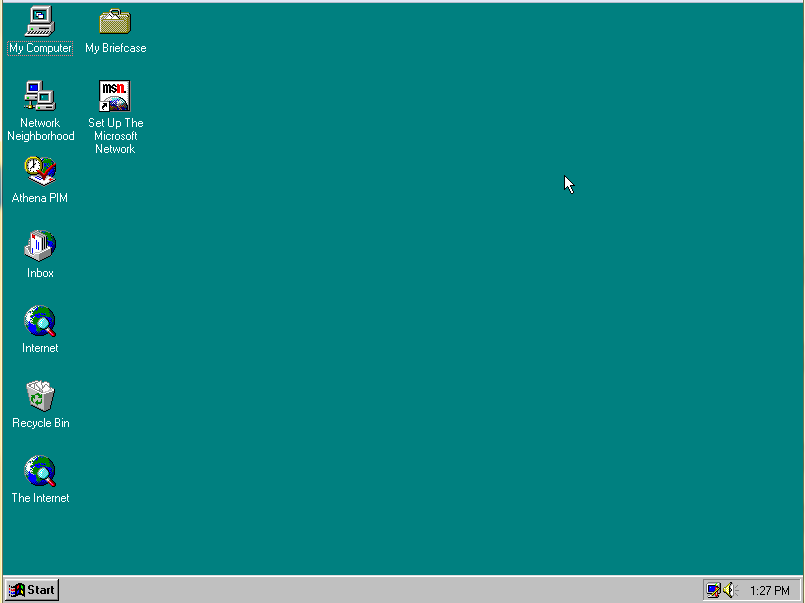
Nashville 4.10.999, freshly booted. No graphics drivers, 16-colour VGA, and a shortlist of preinstalled utilities that make the era very clear.
Nashville is not Windows 95. It is close enough to look identical at the desktop and different enough to break in ways that Windows 95 does not. The kernel version reports as 4.10.999, sitting between 95 OSR2 (4.00.1111) and 98 (4.10.1998). Some drivers written for 95 refuse to load. Some pieces of the shell behave like early 98 previews. Nothing about the machine tells you which side of that fence any given component will land on until you try it.
Getting the box to the point where it could even attempt to run a browser took the majority of the work. Graphics drivers were the biggest single blocker; no period card we tested had a driver that Nashville would accept, so we ran the whole exercise in 16 bit colour on the generic VGA fallback. Sound, networking, and the TCP/IP stack all needed manual coaxing.
We ended up using PCem with a Socket 7 Shuttle HOT-557, Intel Pentium 75, 64MB of RAM, Phoenix S3 graphics with Voodoo enabled, Sound Blaster 16, and a Realtek RTL8029AS. RAM over 64MB caused the system to stall, and a CPU over 75MHz caused protection faults to kick in. No other graphics or network card we could emulate worked. Snipe, however, is a labour of love; we do these things for the challenge. It’s also worth noting that trying to install any new browsers will fail because of missing DLLs in a half-built OS, so keep the Windows 95 and 98 CAB files fully extracted on a virtual ISO so you can piece together whatever’s missing.
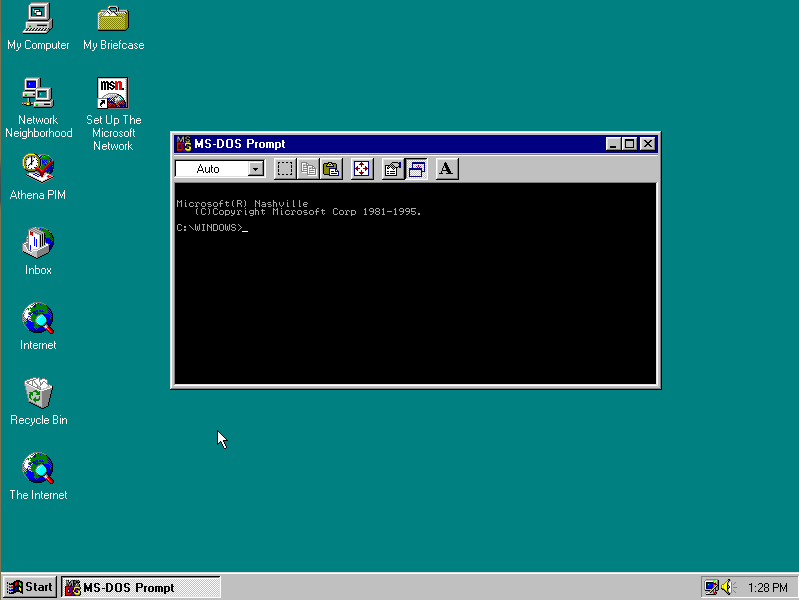
The MS-DOS Prompt confirming the OS identity: “Microsoft(R) Nashville, (C)Copyright Microsoft Corp 1981–1995.” This is not a Windows 95 machine with a repainted About box.
Once the machine could reliably keep a network connection open for more than a couple of minutes, we could start on the actual point of the exercise: an office suite.
Why the legacy channel is the whole story here
Snipe Cloud Office ships two channels behind one account. The modern channel needs Chromium 80 or newer, which Nashville will never see. The legacy channel is a full implementation of Writer, Calc, Impress, and myPage written for HTML 4 and classic JavaScript, targeting Internet Explorer 5.5 and 6, Firefox 1.5, Opera 3.62, Classilla, and anything else with a DOM and a JavaScript engine. Same account, same file formats, separate code path.
On Nashville the router does what it does on any old browser: it sees a legacy engine on the way in and sends you straight to the legacy Start Centre without asking. No mode switch, no compatibility banner, no upgrade nag. The suite loads.
There are caveats. Nashville ships out of the box with Internet Explorer 3.0, and while the legacy channel will load in it, the experience is unstable and features drop out in ways that make real work frustrating. Internet Explorer 5.5 can be coaxed onto Nashville with some effort, because 5.5 was built for Windows 95 in the first place, but even once it is installed it is still not perfectly happy on the 4.10.999 kernel.
That is exactly why fighting to get Opera onto the box is worth the time; a second, independent engine that actually behaves is what turns this from a curiosity into something usable.
The two browsers we tested
We wanted more than one browser working before we called the exercise finished. If only Internet Explorer loaded the suite, the story would have been about IE, not about Nashville. So we ran the whole thing twice, in two very different engines, on the same OS install.
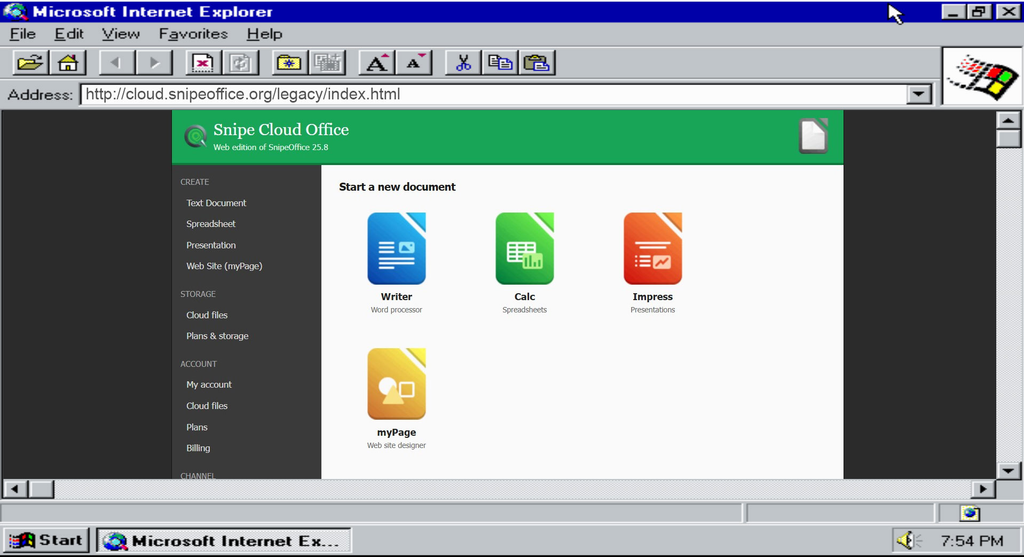
Internet Explorer on Nashville, loading cloud.snipeoffice.org/legacy/index.html. Writer, Calc, Impress, and myPage all present. Start Centre renders correctly, sidebar navigation works, ads render, sign-in and account-creation links resolve.
IE was the easier of the two. Nashville shipped with an early Trident build, we downloaded this CD //archive.org/details/microsoft-internet-explorer-5.5 put it in our vidtual Machine and we were good to go, just install.
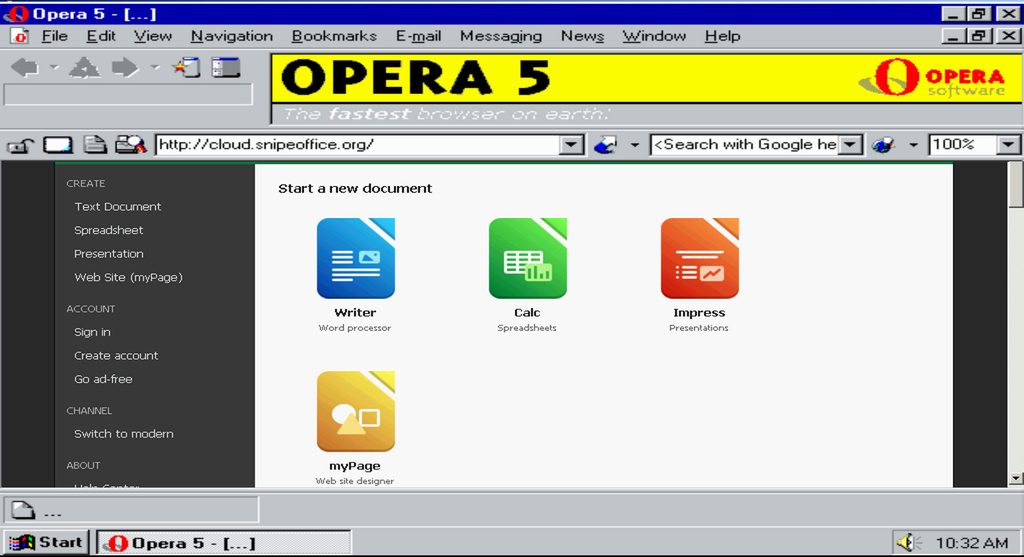
Opera on the same Nashville install. Different rendering engine, same legacy channel, same Start Centre. The router does not care which browser you show up in; it only cares which channel your engine can run.
Opera was harder. Getting a period-appropriate Opera build onto the box took the better part of an afternoon. The payoff is the screenshot above: a second, completely independent browser hitting the same legacy endpoint and getting the same suite. Two browsers, one channel, one operating system that was never supposed to see 2026. Opera 5 turned out to be the most stable version, though you can push it as far as 10.63 if you have the patience. The trick is to start with 5, then upgrade one release at a time, copying over missing DLLs as each version complains about them.
If you would rather skip that whole exercise, we have uploaded the working Nashville image to the Internet Archive: //archive.org/details/windows-96-nashville-hard-drive. It boots with IE 5.5 and Opera 5 already installed and behaving. There are two Internet Explorer shortcuts on the desktop; one is explicitly labelled as not working (it needs more DLLs before it will launch), and the other, labelled simply “Internet Explorer,” is the 5.5 build that runs the suite. Anyone who wants to keep pushing the Opera upgrade path, or track down the DLLs the broken IE shortcut is missing, is very welcome to; we have a lot of other operating systems left to bring the suite up on, so we cannot chase every last bug on every last platform, but the door is open for the community to take it further.
What actually works, and what does not
Writer opens, edits, and saves .odt and .docx. The file that comes out is a valid Word document that a colleague on Windows 11 can open without noticing where it was written. Calc handles .ods and .xlsx values, plus CSV, TSV, DIF, and SYLK. Impress handles .odp and .pptx slide text. myPage builds and downloads multi-file website projects as ZIP. The BOM-first guarantee holds: any CSV or text export from Calc on Nashville comes out as UTF-8 with a Byte Order Mark, so Chinese, Japanese, Cyrillic, and Arabic text survive the trip to a modern machine intact.
Form Manager does not run here. It is modern-channel only, and Nashville cannot reach the modern channel. Save to Cloud is the same story: it is a Pro-plan feature that lives on the modern side. Everything on Nashville saves locally, which on a machine of this vintage is arguably where you want your files anyway.
What actually runs on Nashville in 2026
Nashville was cancelled before it had a software ecosystem of its own, so the honest answer is that almost anything you install on it was written for Windows 95 or early 98. That is a very short list once you filter for things that still connect to modern services. In rough order of usefulness for office work today:
1. Snipe Cloud Office, legacy channel. The only route to opening a modern .docx, .xlsx, or .pptx on this operating system without a conversion step on another machine first. Free.
2. Microsoft Office 2000. The last Office that installs cleanly on the 4.x Windows line. Full Word, Excel, PowerPoint, Access, Outlook. Reads .doc and .xls, not .docx or .xlsx. Genuinely comfortable on the hardware.
3. Microsoft Office 97. The one Nashville was actually contemporary with. Fast, light, .doc and .xls only. Pair it with the Word and Excel viewers for read access to newer files.
4. OpenOffice.org 1.1. Last major OpenOffice with a working Windows 9x installer. Writer, Calc, Impress, Draw, Base. Reads .doc, .xls, .ppt, and early ODF.
5. Lotus SmartSuite Millennium. Word Pro, 1-2-3, Freelance Graphics, Approach, Organizer. A genuine alternative to the Microsoft and OpenOffice.org lineages, with its own file formats and limited Word/Excel import.
Only the first of those talks to the modern web. The other four are local-only, which is fine if the files never need to leave the machine, and a problem the moment they do.
What this actually proves
A cancelled 1996 Microsoft build, running in 16 bit colour on a virtual machine with no graphics driver, is opening a 2026 office suite, editing a document, and saving it in a format that Word 2024 will open cleanly. Two different browsers on two different rendering engines both reach it. The suite does not know or care that the operating system underneath was never actually released.
That is the entire point of the legacy channel. Most vendors treat old browsers as a problem to be pushed off their servers. Snipe writes software for the engines those users have and routes them to it automatically. Windows 96 was the hardest environment we have tested that principle against so far. It works.
Screenshots in this article were taken from a virtual machine running Windows 96 (Nashville, build 4.10.999).