

SnipeOffice on Windows Whistler
Windows Whistler is what Microsoft called Windows XP before it was Windows XP. Whistler Professional Beta 2, build 2428.idx01.010129-1827, was compiled on 29 January 2001 and pushed to testers roughly nine months before XP shipped. The NT 5.1 kernel is already in place, the Luna theme is already there, the desert-dune wallpaper is already sitting on the desktop, and Merlin the Wizard still narrates the Out-of-Box Experience before Microsoft quietly retired him for the retail build.
This article walks through what we tested, what worked, and what we could not persuade to work at all. The short version: Snipe Cloud Office runs, the founding BOM-first encoding guarantee holds, and one specific combination of browser and version produces the everything-works configuration. Getting there took more attempts than we would have preferred.
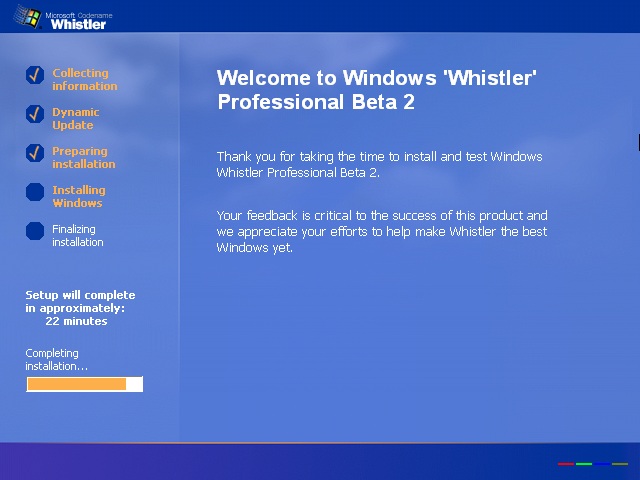
The GUI setup wizard on the Whistler Beta 2 install disc, at the Completing Installation stage. The “Welcome to Windows ‘Whistler’ Professional Beta 2” heading and the “Your feedback is critical to the success of this product” language are the visible confirmation that this is a pre-release test build rather than an XP retail machine.
The test environment
The reference machine for this article is Whistler Professional Beta 2 running in VirtualBox with a single CPU core, 2 GB of RAM, and a 30 GB virtual hard drive. Nothing exotic. The install disc is the standard Whistler Beta 2 CD, and a second CD is mounted as drive D: carrying the browser stack we prepared for testing on this vintage of Windows: SnipeBrowser installers, per-browser folders for Firefox, Internet Explorer, Netscape, and Opera, and a Windows NT 3.51 Patches directory for cross-platform reference work.
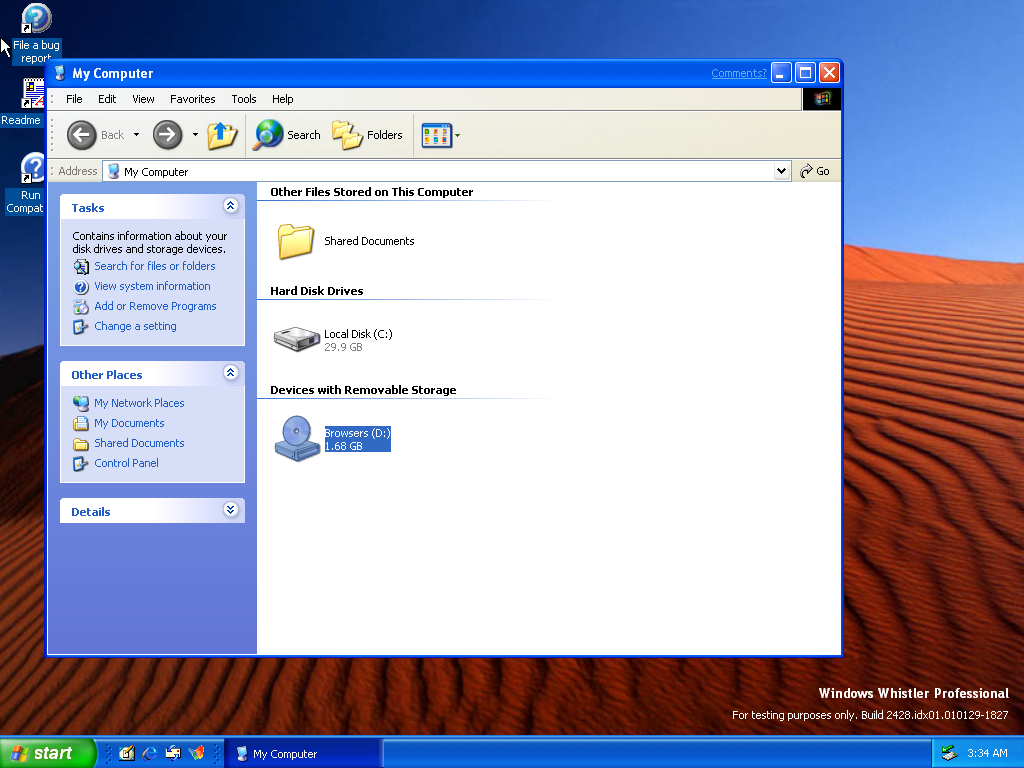
My Computer on the Whistler test machine. C: is the 29.9 GB system disk, D: is the browser-stack test CD (1.68 GB). The desert-dune wallpaper and the “File a bug report” desktop icon are both Whistler-specific: the wallpaper carried over to XP, but Microsoft removed the bug-report shortcut for retail. Build stamp is bottom-right.
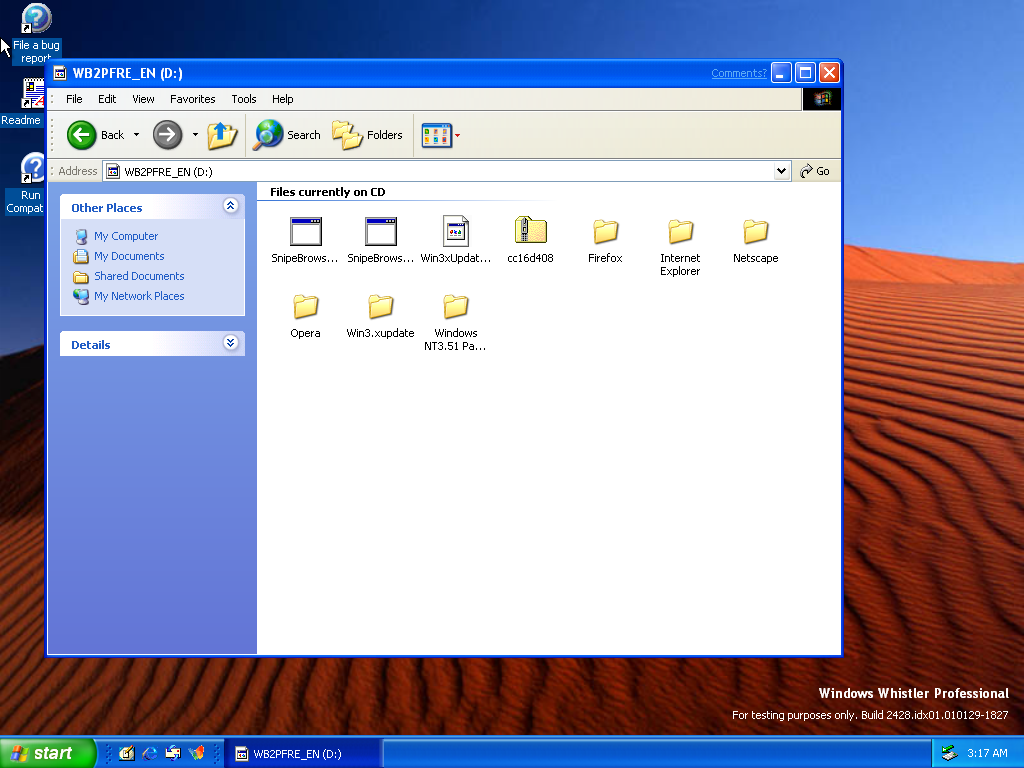
The mounted browser-stack CD. Folders for every browser family we intended to test, plus a Windows NT 3.51 patches directory for our parallel work on that platform. Having every installer offline on one disc matters on a machine whose modern web reach is limited.
Why the router treats Whistler as XP
Snipe Cloud Office ships two channels behind one account. The modern channel uses ES modules and needs Chromium 80 or newer. The legacy channel is written in HTML 4 and classic JavaScript and targets Internet Explorer 5.5 and 6, Opera 9 and 10, older Firefox, and anything else with a working DOM and JavaScript engine. The router at cloud.snipeoffice.org reads the User-Agent string on the way in and picks a channel.
Whistler is old enough that this decision is interesting, but the User-Agent story turns out to be simple. Whistler and XP share the NT 5.1 kernel, so every browser installed under Whistler identifies itself as running on Windows NT 5.1. Every browser we tested reported the operating system as “Windows XP” in its About page. The router sees that and routes exactly the way it routes for a genuine XP session. Unlike the NT 3.51 case we documented earlier, no manual “switch to legacy channel” click was needed. Everything routed correctly on the first try in every browser that loaded.
The bundled IE 6
Whistler ships with Internet Explorer 6 preinstalled. The specific build is 6.0.2428.0000.idx01.010129-1827, which is the same build number as the operating system itself, character for character. This is the visible confirmation that the IE 6 on this machine is the beta version that Microsoft compiled inside Whistler, not a separately installed IE 6 from a later date. Cipher strength is 128-bit, which is enough for Cloud to accept the TLS handshake.
The bundled IE 6 loads Snipe Cloud Office. The legacy Start Center renders, the tiles for Writer, Calc, Impress, and myPage are clickable, and individual applications open when you click them. That is where the good news ends. In actual use, rendering gaps appear in unpredictable places, interactions occasionally fail to register, and the browser as a whole is unreliable enough that we would not recommend it for real work. Treat the bundled IE 6 as an installation-confirmation step, not as a browser to spend time in.
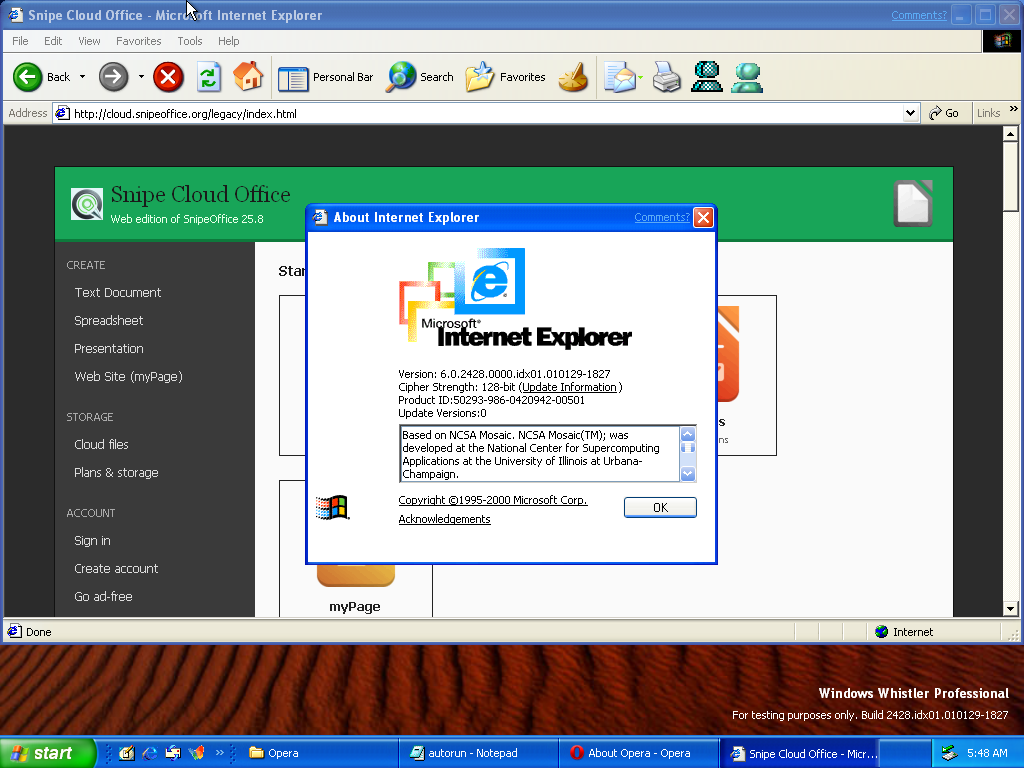
The bundled Internet Explorer About dialog on Whistler, sitting on top of the Cloud legacy Start Center. Version 6.0.2428.0000.idx01.010129-1827 matches the Whistler build number exactly, which tells you this IE was compiled as part of the operating system rather than installed separately later. 128-bit cipher strength.
Opera 9.10 : Writer, Impress, myPage all fine; Calc needs Java
Opera 9.10, build 8679, is the first browser we tested that produced a usable session. The About page reports the platform as Win32, the system as Windows XP, the User-Agent as Opera/9.10 (Windows NT 5.1; U; en), and Java as not installed.
Writer, Impress, and myPage load and behave correctly under Opera 9. The legacy menu bars render, toolbars are complete, documents can be created, edited, and saved back to the local disk in ODF, DOCX, and the other supported formats. The BOM-first text export path works exactly as it does on any other platform we support.
Calc is where Opera 9 falls short. The Cloud Calc module under this browser generation depends on a Java runtime to handle a specific set of grid-rendering and formula-evaluation code paths, and the Whistler test install does not have Java installed. Without Java, Calc opens but behaves in a degraded state that makes it unusable for real spreadsheet work. Installing a period-appropriate Java runtime on top of Opera 9 is possible in principle, but we did not pursue it, because the next browser we tested removed the dependency entirely.
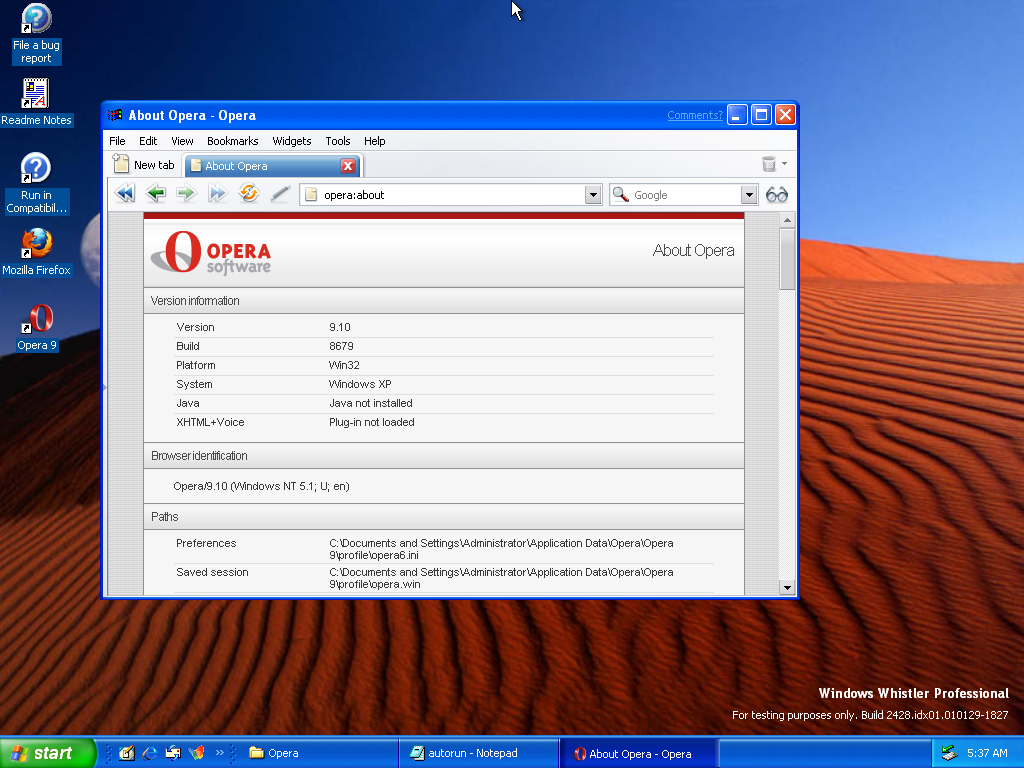
Opera 9.10, build 8679, About page on Whistler. The System field reads “Windows XP” and the User-Agent identifies as Opera/9.10 (Windows NT 5.1; U; en). Java is not installed, which is exactly what breaks Calc under this browser generation.
Opera 10.00 : the recommended browser
Opera 10.00, build 1750, running on the Presto 2.2.15 engine, is the browser we recommend for Whistler. It installs cleanly on top of a stock Whistler install, it renders every module of Snipe Cloud Office correctly, and it does not require Java for any of them. Calc works, which is the critical difference from Opera 9. The User-Agent is Opera/9.80 (Windows NT 5.1; U; en) Presto/2.2.15 Version/10.00, and the router treats it as an XP session for the same reason it treats every other Whistler browser as an XP session.
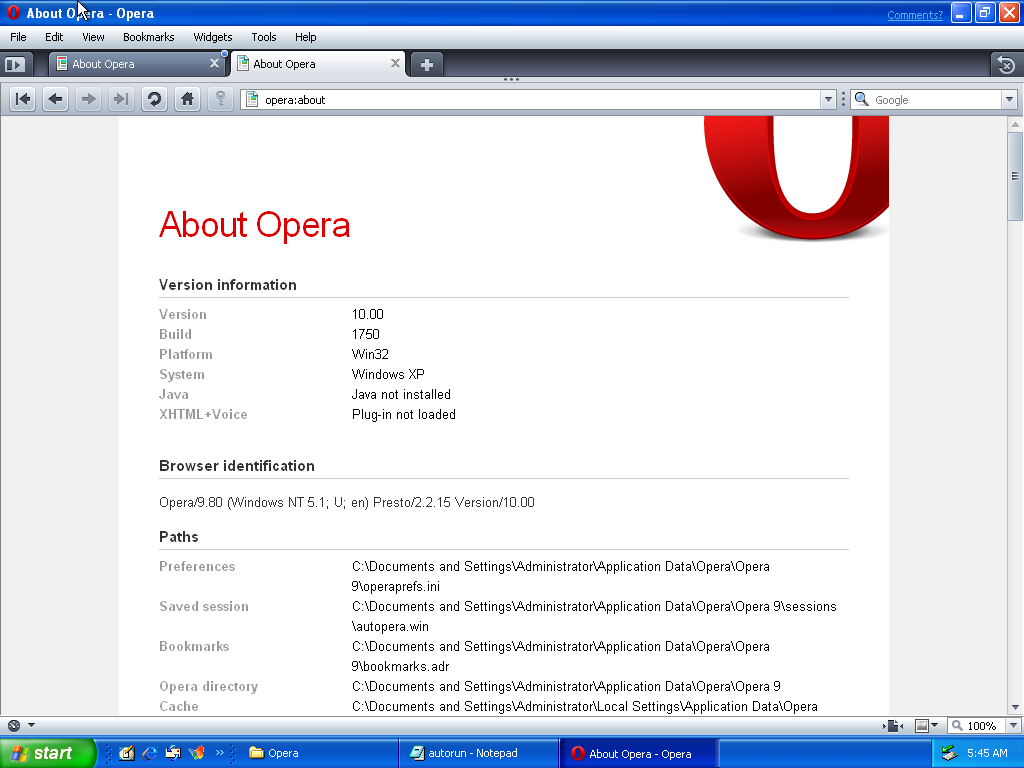
Opera 10.00 build 1750 About page on Whistler. Presto 2.2.15 engine. This is the browser to install if you intend to use Snipe Cloud on Whistler for actual work.
The legacy Start Center loads in Opera 10 with the full tile set: Writer, Calc, Impress, and myPage on the main panel, sidebar sections for Create, Storage, Account, and Channel. Sign-in and account creation both work. The Go ad-free link resolves to the Pro upgrade page. Everything a user would expect from the entry point of an office suite is present and clickable.
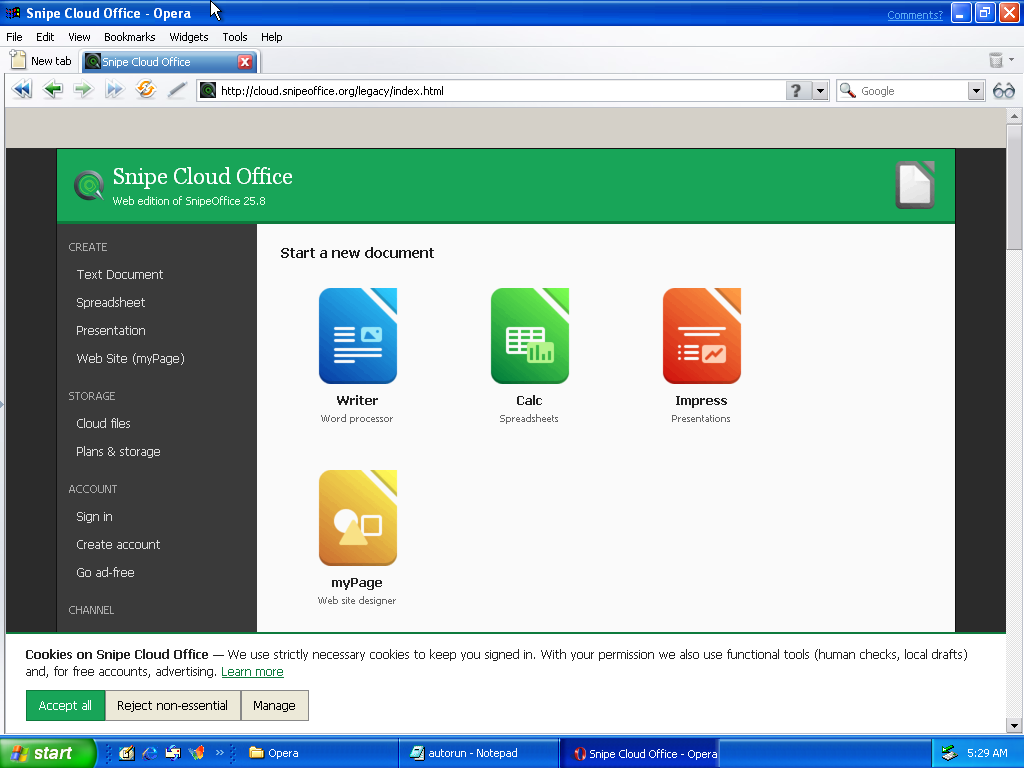
The Snipe Cloud Office legacy Start Center loaded in Opera 10 on Whistler. Full tile set, full sidebar, no manual channel switching required.
Writer under Opera 10 gives the full legacy menu bar (File, Edit, View, Format, Styles, Insert, Table, Form, Tools, Help, plus Start Center and Channel), a complete toolbar including clone, find, image, link, and table operations, the ruler, and paragraph-style, font, and size dropdowns. Documents open, edit, and save back to local disk. A .docx file round-trips cleanly to a modern Word install with layout and content preserved for typical document structures.
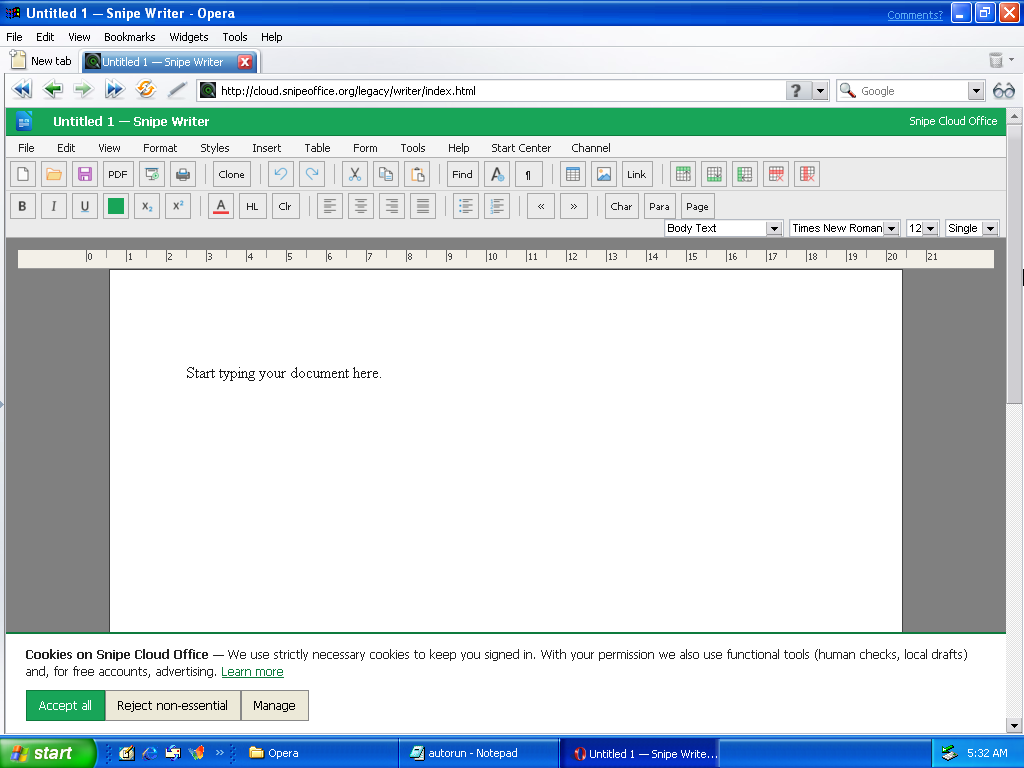
Snipe Writer running in Opera 10 on Whistler. Full legacy menu bar, complete toolbar, ruler visible, Body Text style in Times New Roman 12pt. This is a working word processor on a cancelled 2001 Windows beta.
Calc under Opera 10 is the module that most clearly separates this browser from Opera 9. The grid renders, the formula bar works, the full toolbar is present including AutoFilter, sort ascending, sort descending, function insertion, sum, and cell formatting controls, and cell A1 selects on load. Formulas evaluate. Save to .ods, .xlsx (cell values only), .csv, .tsv, and .txt all work. This is the everything-works configuration for spreadsheet work on Whistler.
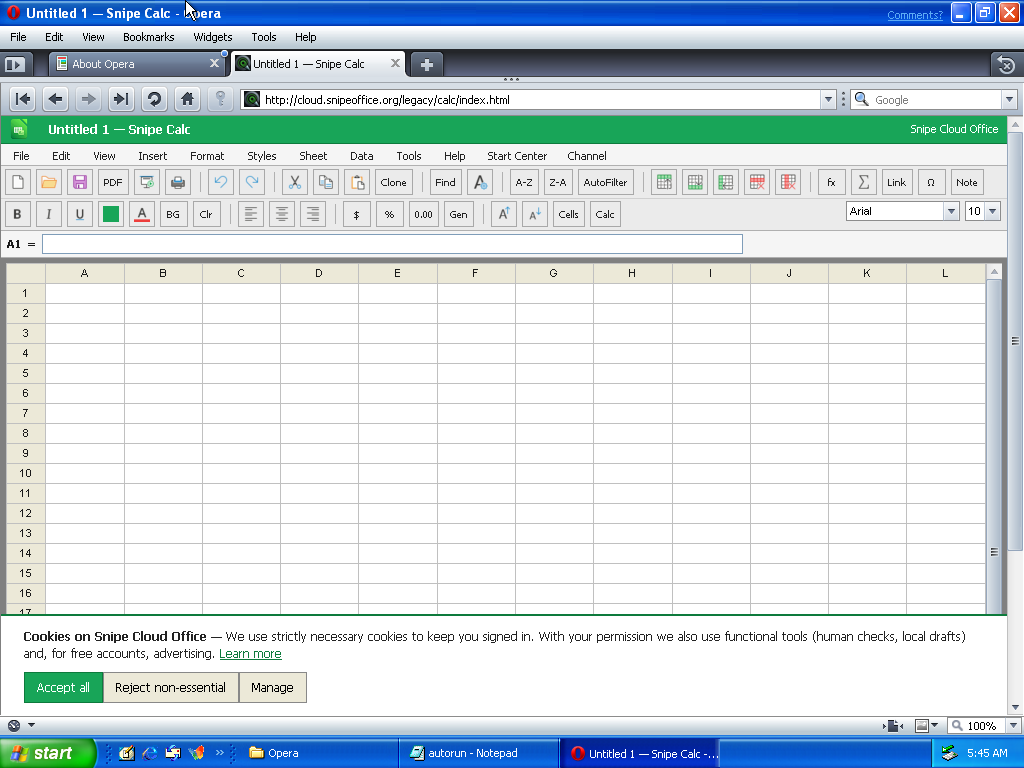
Snipe Calc running in Opera 10 on Whistler. Full toolbar including the Filter button that the Opera 9 build could not render usefully without Java. Arial 10pt, A1 selected, formula bar ready.
Impress and myPage under Opera 10 behave the same way they behave on any other supported platform. Impress opens on a slide canvas with a thumbnail sidebar and the full Slide Show menu. myPage opens on a two-file starter project (index.html and styles.css) with a Folder List sidebar, tab-based file switching, and a yellow banner reminding free-tier users to download their project as a ZIP before leaving the page, because on the free tier the site is stored only in the browser on the local machine. Both work as expected.
Firefox : none of the tested versions worked
Firefox on Whistler was where the testing time went, and it did not pay off. We had a full spread of Firefox installers on the browser-stack CD: 1.0, 1.0PR, 12.0, 52.9.0esr, 115.40.0esr, 140.15.0esr, and 153.2.0esr. Every one of them was tried against a Cloud Office session on Whistler. None produced a working browser.
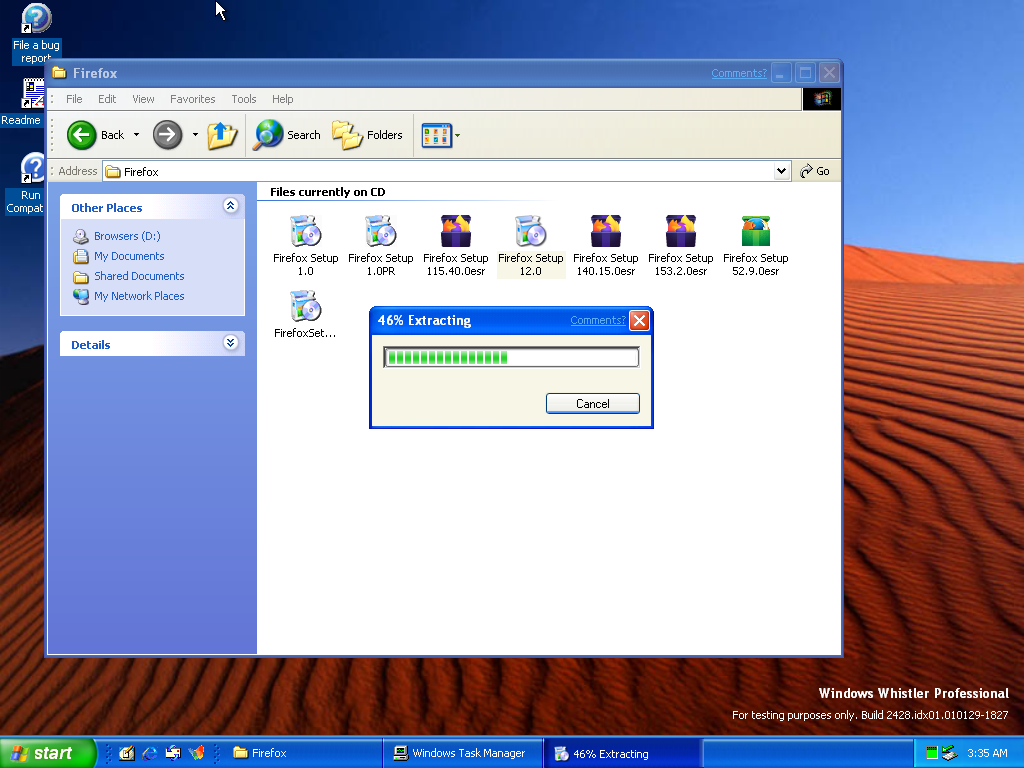
The Firefox installer directory on the browser-stack CD. Seven different Firefox versions ranging from the original 1.0 through 153.2.0esr, an installer for 12.0 currently extracting at 46%. None of the versions we tested produced a working browser session on Whistler.
Firefox 12 was the closest we came. The installer completed, the shortcut landed on the desktop, and the browser launched. It then crashed on startup before it could reach a usable state. We repeated the install and launch cycle multiple times and always got the same result. Nothing newer would even attempt to run: 52.9 ESR, 115.40.0 ESR, 140.15.0 ESR, and 153.2.0 ESR all refused to load. Nothing older than 12 was tested, and given how the newer versions behaved we are not optimistic that older ones would have fared better.
Users who prefer the Mozilla lineage will need to move to XP RTM or later to get a working current-generation Firefox against the current Snipe Cloud endpoint on this class of hardware. On Whistler specifically, Opera is the answer.
What else did not install
For completeness: Internet Explorer 7 and Internet Explorer 8 both refuse to install on Whistler. The blocker in both cases is the cryptographic prerequisite chain. Both installers expect certificate-validation components that Whistler’s pre-SP2-XP crypto stack cannot provide, and the installer refuses to proceed rather than installing into an unsupported environment. There is no known workaround short of upgrading to a later Windows release.
We also tried Visual Studio 2005 as a cross-check, primarily to see whether developer tooling of that era would install on the beta of the operating system it was designed for. The VS 2005 launcher runs and offers its usual install options (Install Visual Studio 2005, Install Product Documentation, Check for Service Releases), but the install itself does not complete. Whistler is close enough to XP for most purposes and different enough to trip up any installer that added SP-level or Windows Update prerequisites after the fact.
The Language guarantee holds
The founding fix that SnipeOffice exists to deliver works on Whistler exactly the way it works on every other platform we support. CSV, TSV, TXT, and plain-text exports from Calc on Whistler come out as correctly. Chinese, Japanese, Korean, Cyrillic, Arabic, emoji, and mixed-language content survive the export intact and open correctly in any downstream tool that respects the BOM. Writer’s plain-text saves behave the same way. This is the quiet part of the article, because there is no drama to report: the fix just works.
Practical guidance
If you have a Whistler machine and want a working office suite on it, the shortest path is to install Opera 10.00, point it at cloud.snipeoffice.org, and use Snipe Cloud Office through the legacy channel that the router will select for you automatically. Writer, Calc, Impress, and myPage all work. Documents saved locally can be opened on any modern Windows, macOS, or Linux machine and round-trip cleanly.
Do not spend time on the bundled IE 6 beyond confirming that it loads the Start Center. Do not attempt Internet Explorer 7 or 8. Do not attempt Firefox on this platform in 2026. If you want the Firefox experience, upgrade the machine to XP RTM or later, where the Firefox lineage genuinely runs.
Form Manager and Save to Cloud are not available on Whistler. Both are modern-channel features, and no browser we could get running on Whistler reaches the modern channel. Local save through the browser’s download flow is the storage model for this platform, and on a machine of this vintage that is arguably the correct place for a document to live anyway.
Whistler is a curiosity, not a daily driver. But it is a curiosity that can now open a modern .docx file, edit it, and save it back out as a valid Word document that a colleague on Windows 11 will open without noticing where it was written. That is the entire point of what SnipeOffice does, and it turns out to work even on a build of Windows that Microsoft never shipped.