
SnipeOffice on Windows NT 4.0
Windows NT 4.0 Workstation was the serious business OS of the late 1990s. It ran on servers, on engineering workstations, on trading floor terminals, on anything that needed to stay up and stay stable. It shipped in 1996 and Microsoft supported it for a decade. Plenty of NT 4 boxes are still quietly running in the corners of industries that never had a good reason to move.
The problem, as with every OS of its era, is that the modern software world stopped talking to it. Modern Office will not install. Most modern browsers will not run. Modern documents arrive as .docx files with nothing on the machine capable of opening them.
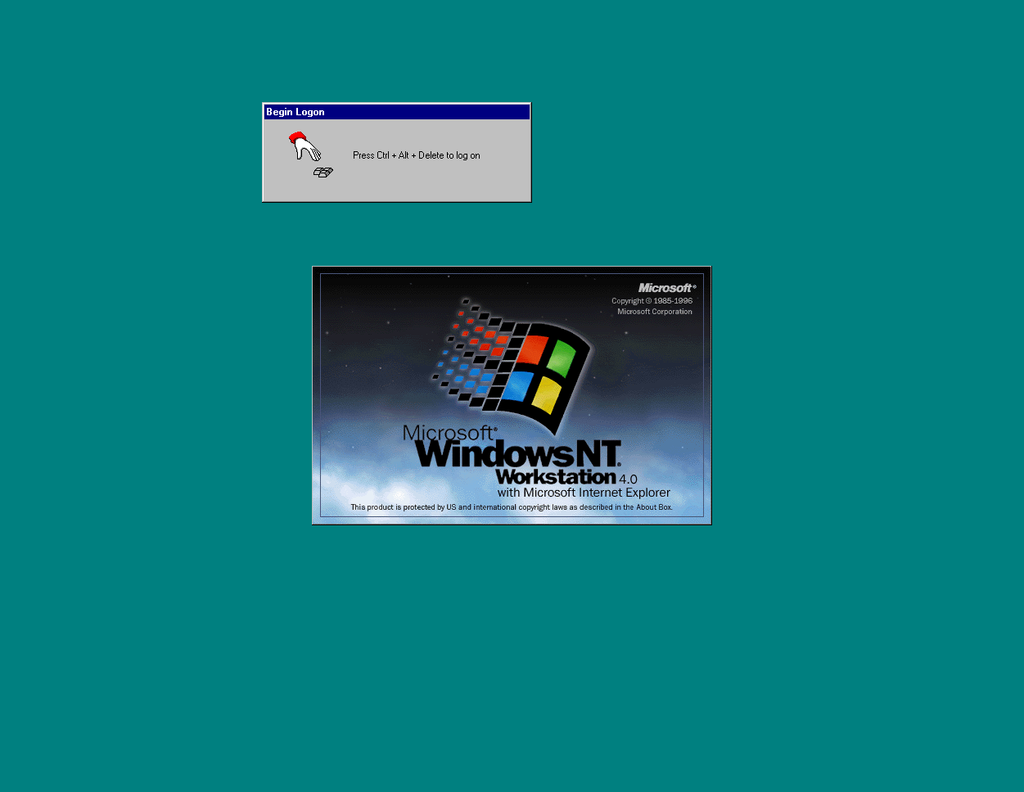
SnipeOffice fixes that. Boot NT 4, log in with Ctrl+Alt+Delete, open a browser, open a Word document. Writer, Calc, Impress, and myPage all load, all work, all save real files.
What works on NT 4
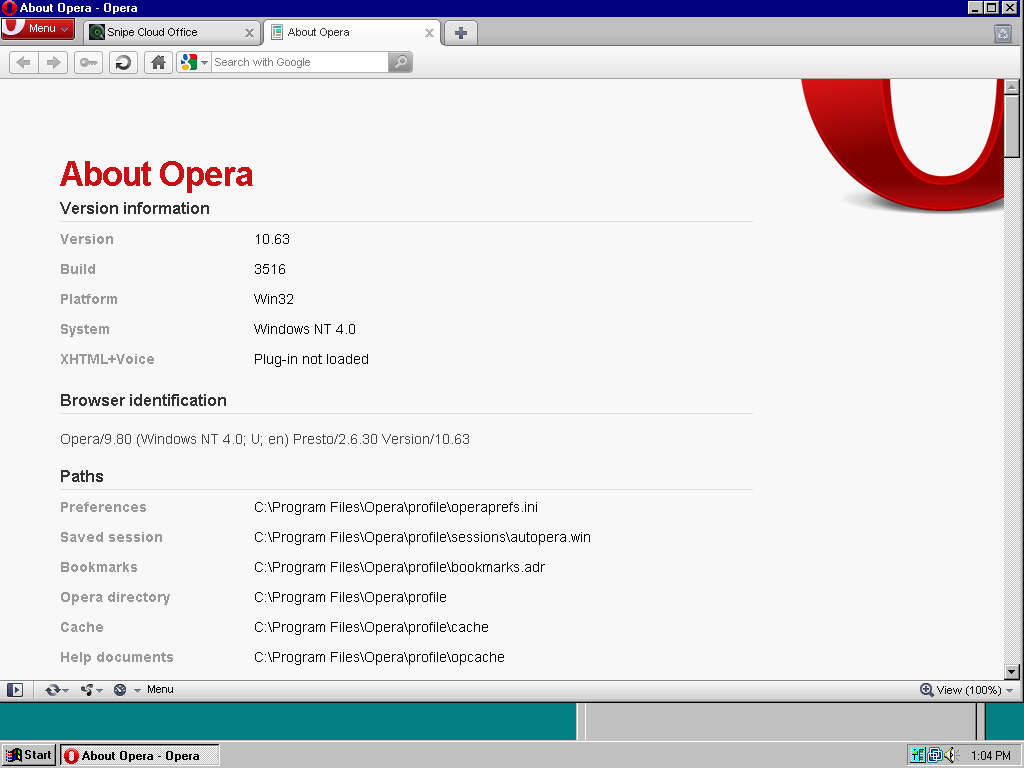
Opera 10.63 runs on Windows NT 4.0. That is the headline. A modern-enough browser with tabs, a proper UI, and enough web platform support to load Snipe Cloud cleanly, on an operating system from 1996.
Internet Explorer 6 SP1 also runs on NT 4 (the test machine here has IE 6.0.2800.1106 installed), and it lands you in the legacy channel too. Both browsers work with the same Snipe account, so switch between them as you like. (Opera is Recommended)
The suite in full
Snipe Cloud Office loads and routes to the legacy channel automatically. You get Writer, Calc, Impress, and myPage tiles on the Start Centre.

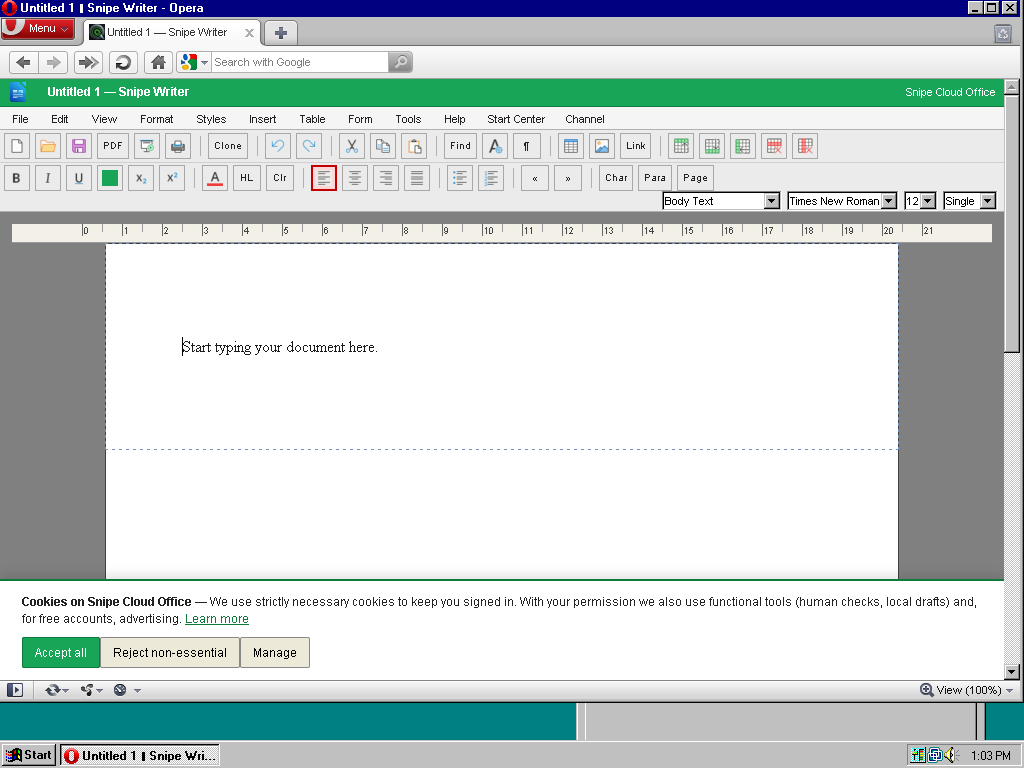
Writer opens with the full legacy menu bar: File, Edit, View, Format, Styles, Insert, Table, Form, Tools, Help. Toolbar, ruler, style dropdowns, font picker, size picker, page style controls. Open a .docx. Edit it. Save it. The output round-trips cleanly to a modern Word install.
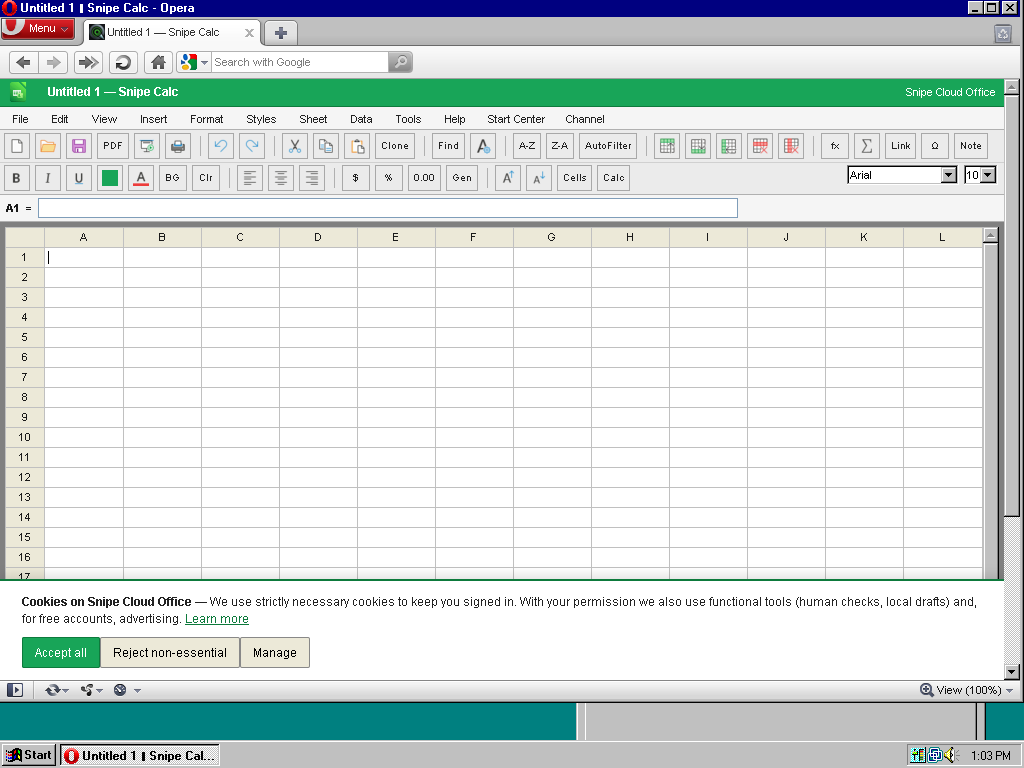
Calc gives you a 30-column, 12-row grid with a formula bar, sheet tabs, and the full Data menu. Sort, filter, text-to-columns, range selection all present. Formulas work. Save as .ods, .xlsx (cell values), .csv, or plain text.
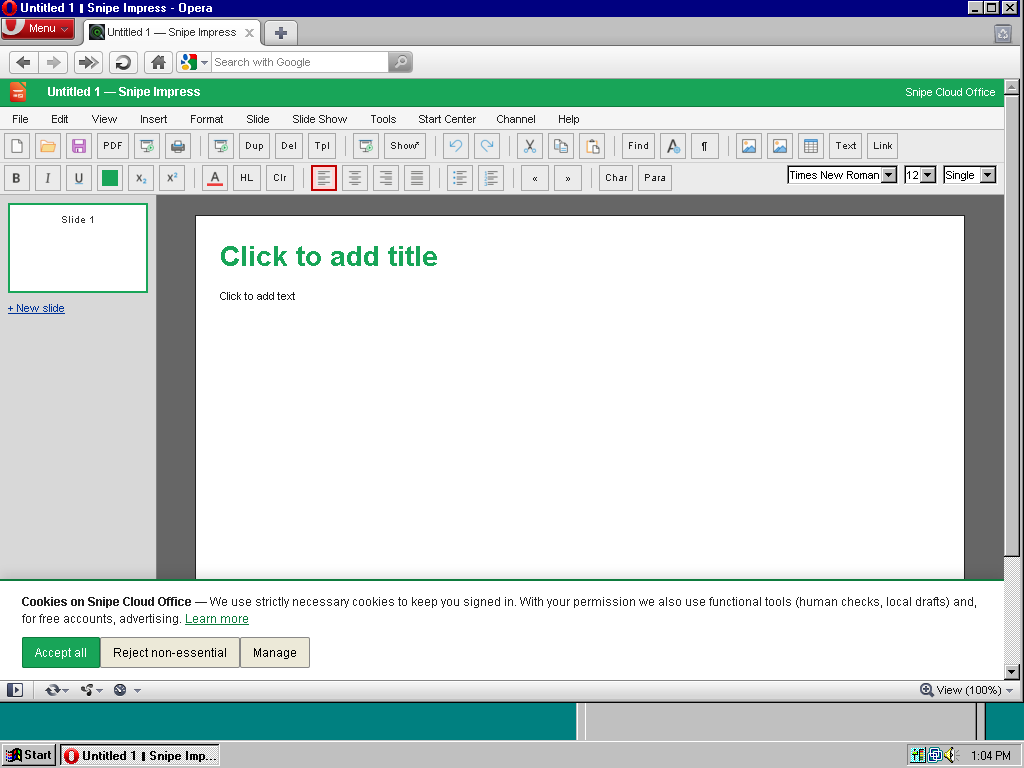
Impress handles ODP, PPTX, and HTML slideshow export, with slide thumbnails, master slides, transitions, and the full Slide Show menu. Multi-slide presentations build and run.
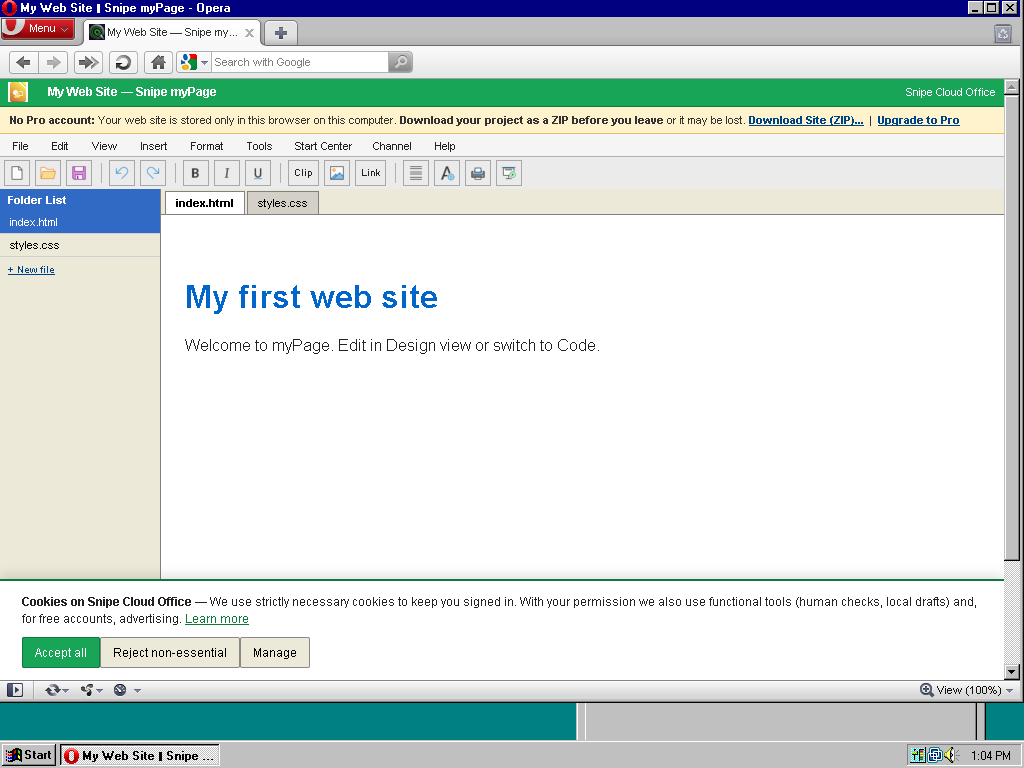
myPage runs the multi-file web site editor. Folder list, Design/Code/Preview tabs, template starter pages, ZIP download of the finished site. Build a website from an NT 4 workstation and upload it to a real web host.
The setup
NT 4 needs preparation before it will talk to the modern internet. Service Pack 6a is the minimum. Internet Explorer 6 SP1 is the recommended stock browser (it runs on NT 4 with the right updates, and adds the TLS support the OS otherwise lacks). Opera 10.63 installs on top and gives you the more comfortable browsing experience.
The test machine for this article ran Windows NT 4.00.1381 with IE 6.0.2800.1106, 256 MB of RAM, and Opera 10.63. Snipe Cloud loaded, edited, and saved documents without complaint on both browsers.
Why bother
NT 4 workstations do not turn up in cupboards the way Windows 95 boxes do. When you find one still running, it is usually running for a reason: some piece of engineering software, some hardware interface, some legacy database, something specific and important that never got ported. Being able to open a modern Word document on that same machine, without disturbing the setup that keeps it running, is not nostalgia. It is a working solution to a real problem.
Best office suites for Windows NT 4.0 in the 21st century
If you are running Windows NT 4.0 today and need to do real office work, these are your five best options ranked by capability, modern-format support, and how much pain you save yourself.
1. Snipe Cloud Office (legacy channel)
The only option that opens modern .docx, .xlsx, and .pptx directly on an NT 4 machine, in the browser, with no conversion step. Writer, Calc, Impress, and myPage all run in Opera 10.63 or IE 6 SP1. BOM-first UTF-8 exports mean multilingual data survives everywhere. Free.
2. Microsoft Office 2000
The last version of Office that installs and runs cleanly on Windows NT 4.0 with Service Pack 6a. Word, Excel, PowerPoint, Access, Outlook. Handles legacy .doc and .xls perfectly. Cannot read .docx or .xlsx without external conversion. Best local-installed option for period-appropriate file work.
3. OpenOffice.org 1.1
Free, open source, and the last major OpenOffice release that supported Windows NT 4.0. Reads and writes .doc, .xls, .ppt, and early ODF. No modern format support. Complete suite (Writer, Calc, Impress, Draw, Base). Solid alternative to Microsoft Office 2000 with basic ODF handling built in.
4. Microsoft Office 97
The Office release that most NT 4 workstations actually shipped with. Fast, light, comfortable on modest hardware. .doc and .xls only. Word Viewer 97 and Excel Viewer 97 handle read-only access to newer files without needing a full Office install.
5. Corel WordPerfect Suite 8
Word processor, spreadsheet (Quattro Pro), presentation (Corel Presentations), and Paradox database. The last WordPerfect Suite that installs cleanly on NT 4. Strong word processor with reveal-codes editing, decent spreadsheet, own file formats plus Word and Excel import. A viable alternative if the Microsoft and OpenOffice.org lineages are not to your taste.
Screenshots in this article were taken from a virtual machine running Windows NT 4.0 Workstation (build 4.00.1381) with Service Pack 6a and Internet Explorer 6.0.2800.1106. Snipe Cloud Office runs identically on real hardware of the same vintage.