

SnipeOffice on Windows 2000
Windows 2000 was the professional workstation OS of its era. Businesses ran it for years past its end of life because it did the job, it was stable, and replacing it meant retraining, relicensing, and rebuying hardware. Plenty of those machines are still out there in accounting offices, in engineering firms, on industrial control networks, sitting on desks that never quite got refreshed.
The problem, as always, is that the software world moved on. Modern Office will not install. Modern browsers will not run. Modern documents arrive as .docx attachments that nothing on the machine can open.
SnipeOffice fixes that. Boot Windows 2000, open a browser, open a Word document. Real Writer, real Calc, real Impress, real myPage.
Three good browsers
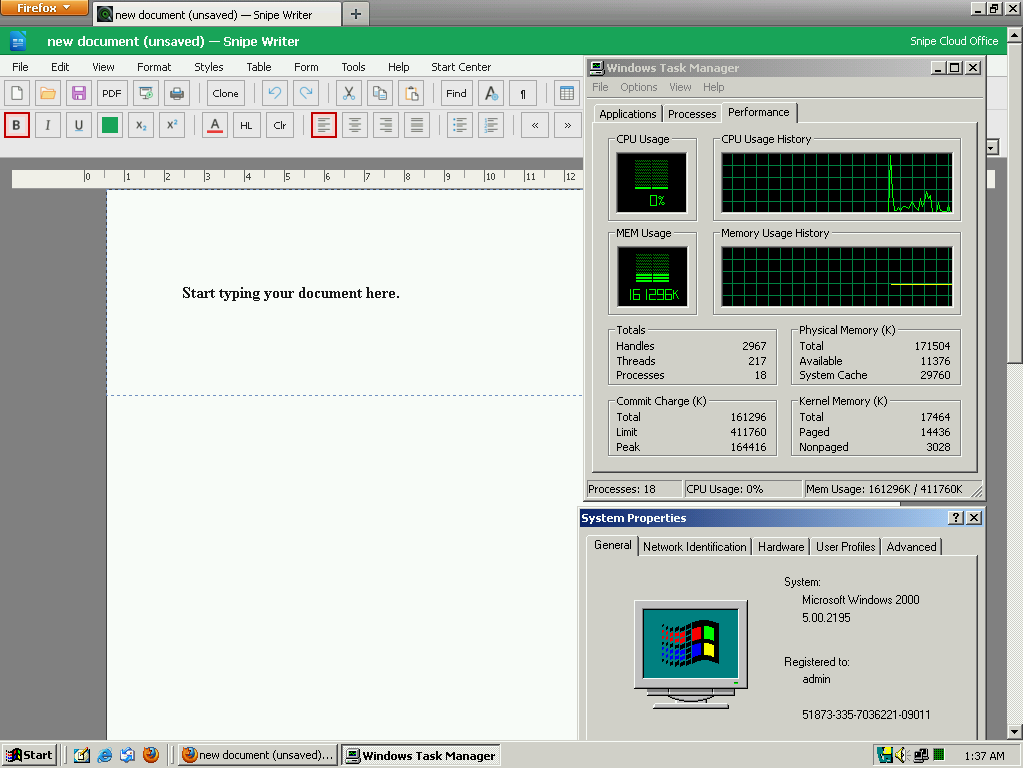
Windows 2000 is the sweet spot for legacy Snipe. Firefox 12 runs on it and handles the legacy channel comfortably. Opera 12.02 runs on it with tabs and modern UI conventions. Google Chrome 1.0.154.48 (the original 2009 release) even runs on it. Internet Explorer 6 SP1 is there too for anyone who wants to stay Microsoft.
All four land you in the legacy channel automatically. All four open the full suite. Any of them will do the job, so pick the one you like.
What actually runs
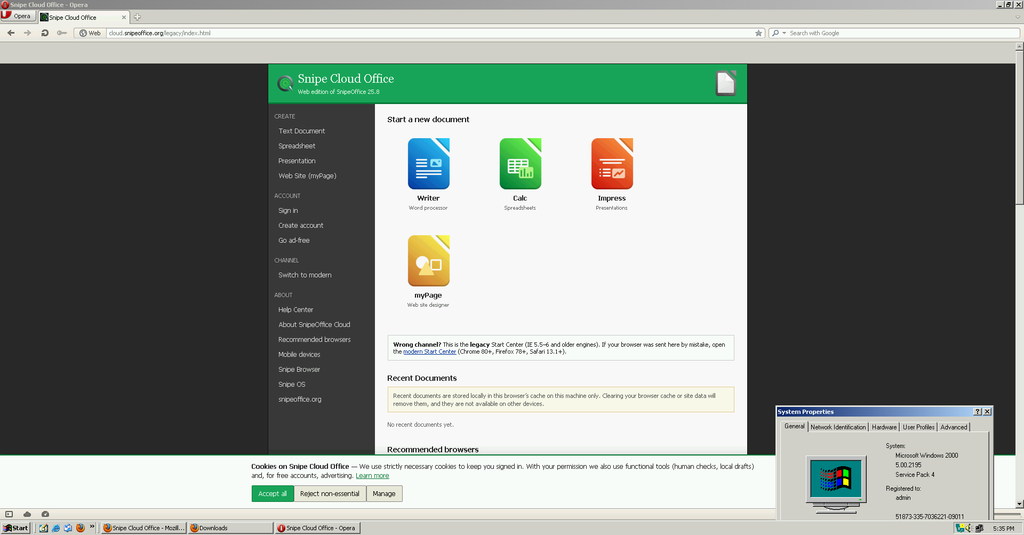
Writer opens with the full legacy menu bar: File, Edit, View, Format, Styles, Insert, Table, Form, Tools, Help. Toolbar, ruler, style dropdowns, font picker, size picker. Open a .docx. Edit it. Save it. The output round-trips cleanly to a modern Word install.
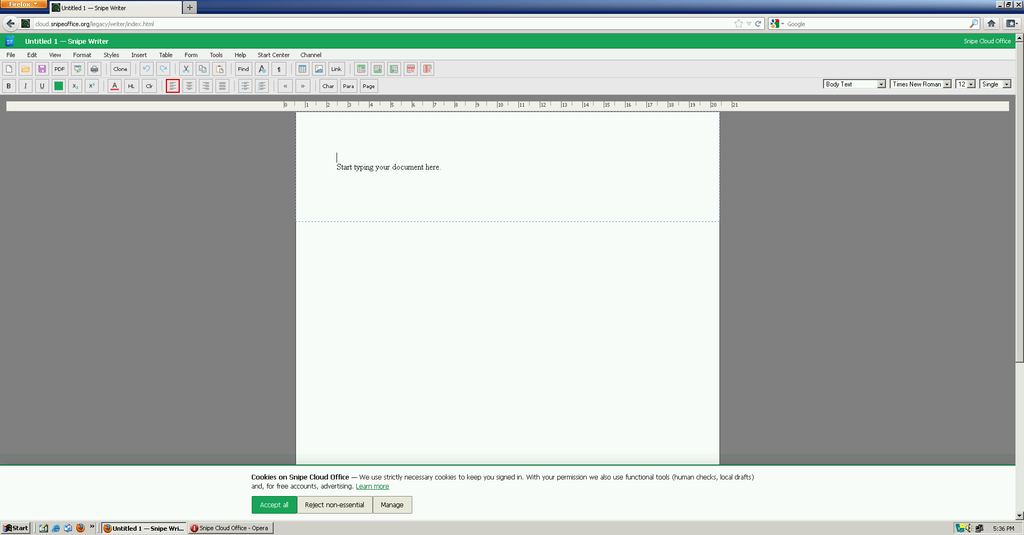
Calc gives you a 30-column, 12-row grid with a formula bar, sheet tabs, and the full Data menu. Sort, filter, text-to-columns, range selection all present. Formulas work. Save as .ods, .xlsx (cell values), .csv, or plain text.
Impress handles ODP, PPTX, and HTML slideshow export, with slide thumbnails, master slides, transitions, and the full Slide Show menu. Multi-slide presentations build and run.
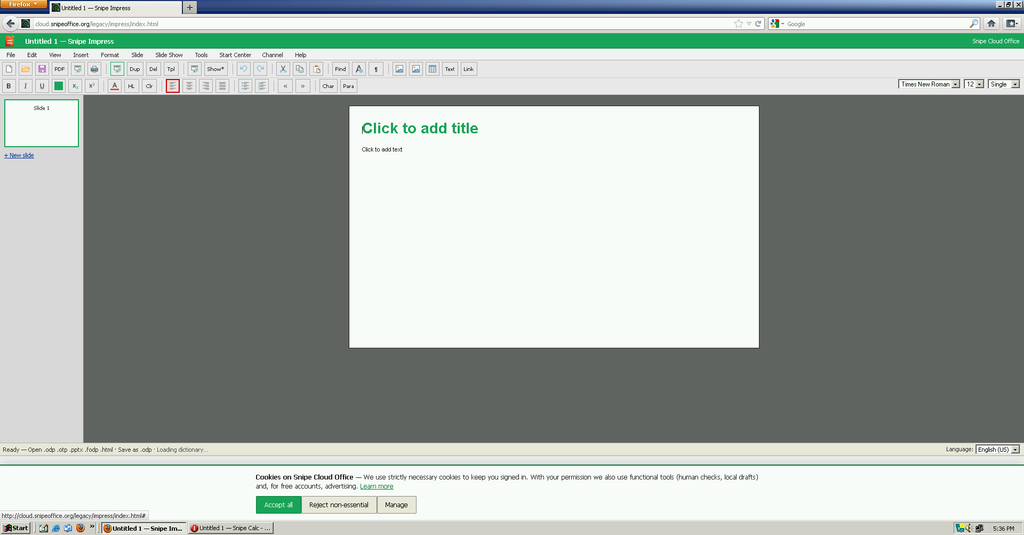
myPage runs the multi-file web site editor. Folder list, Design/Code/Preview tabs, ZIP download of the finished site. Build a website from a Windows 2000 box in 2026 and upload it to a real web host.
The performance surprise
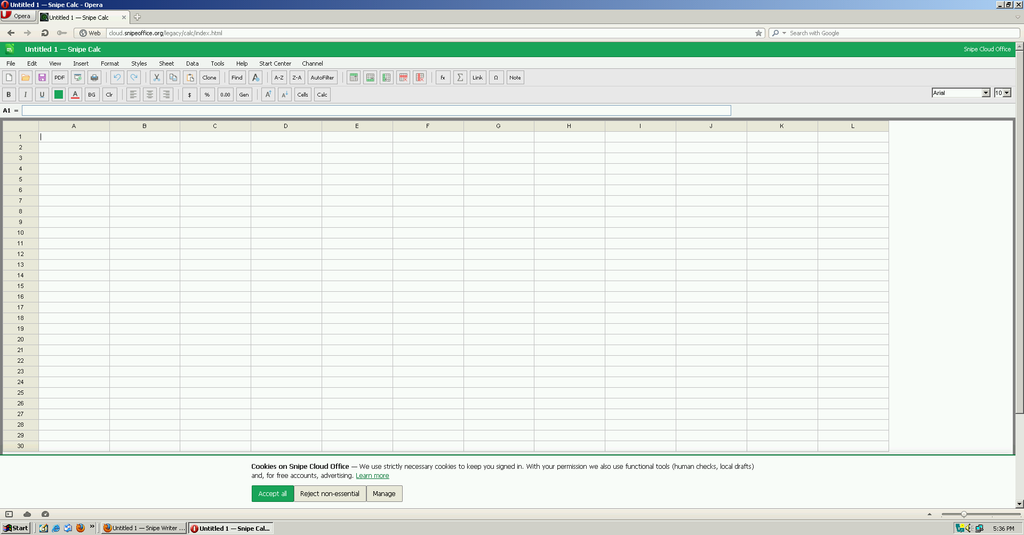
Windows 2000 handles this workload cleanly. The Task Manager screenshot from the test machine shows 18 processes running, roughly 160 MB committed with Firefox 12, Snipe Writer, and multiple system tools open at once. CPU sits at 0% at idle. This is comfortable running, not scraping by.
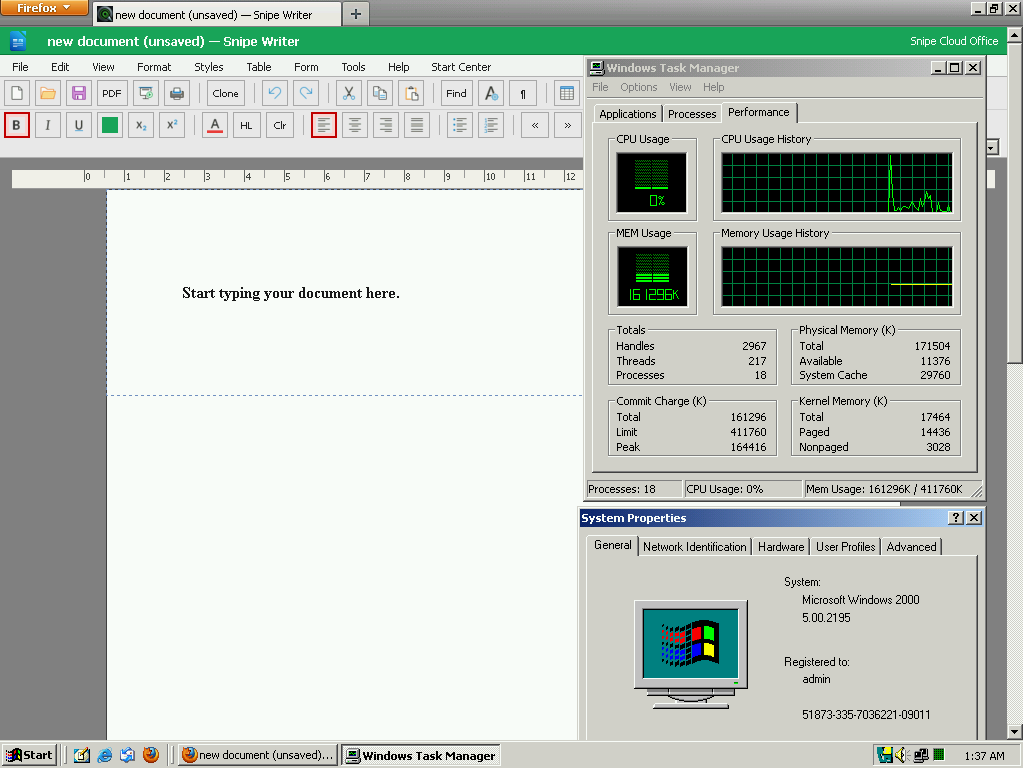
The bottleneck on hardware this old is usually the browser, and Firefox 12 or Opera 12 are both fast enough to make the experience feel current rather than laboured.
Setup
Snipe Cloud can load over HTTPS. Windows 2000 with Service Pack 4 and the modern browsers listed above handles this without extra work. Install your browser of choice, point it at the Legacy Start Centre, bookmark it.
Screenshots in this article were taken from a Windows 2000 5.00.2195 Service Pack 4 install running Firefox 12 and Opera 10.63/12.02 side by side. Both worked. Snipe Cloud loaded, edited, and saved documents without complaint.
Recommended: get the machine current first
Before you install a browser, get the OS fully patched. On a fresh Windows 2000 install the root certificates are old enough that most modern sites (including any HTTPS-secured download) will fail before you can even fetch updates. There is a superb community-maintained solution for this.
Windows 2000 update archive (cha0shacker, Internet Archive)
A 2 GB collection of every official Microsoft update and hot-fix for Windows 2000, packaged for offline install. Grab it, burn it to a disc or copy it to a USB drive, and run the installers in the order listed in ORDER.TXT.
What is in it:
- WSUSoffline image with 300+ updates through 2010
- Service Pack 4 and Update Roll-up 1 with the multi-CPU hot-fix
- Non-security updates and a small install script
- Post-2010 updates through 2016 in the #CSA folder
- Internet Explorer 6, .NET Framework 1.1 and 2.0, DirectX 9.0C, Windows Installer 3.1, Windows Update Agent 3
- Visual C++ 2005 and 2008, MSXML 2.6/3.0/4.0/6.0, Root Certificates (2006 and 2009)
- Windows Desktop Search, Windows Media Player 9, Remote Desktop Client, plenty more
Install the root certificates first (they are in the Components folder), then let the WSUSoffline installer run through the main update set, then apply the post-2010 patches from the #CSA folder. Reboot when it asks. About an hour of unattended install time on modest hardware, and at the end you have a Windows 2000 box that will actually negotiate TLS with the modern web and run current legacy-channel browsers cleanly.
Get it here: archive.org/details/win50-upd
This is genuinely nifty work and it makes the Windows 2000 experience in 2026 dramatically less painful.
The BOM-first promise
Every CSV or text export from Calc on Windows 2000 comes out as UTF-8 with a Byte Order Mark, same as on any other Snipe platform. Chinese, Japanese, Cyrillic, Arabic, emoji, mixed-language data all survives the export cleanly and opens correctly downstream. The professional workstation of 2000 gets the same encoding guarantees as the workstation of today.
Best office suites for Windows 2000 in the 21st century
If you are running Windows 2000 today and need to do real office work, these are your five best options ranked by capability, modern-format support, and how much pain you save yourself.
1. Snipe Cloud Office (legacy channel)
Opens modern .docx, .xlsx, and .pptx directly in the browser with no conversion step. Writer, Calc, Impress, and myPage all run in Firefox 12, Opera 12, Chrome 1, or IE 6 SP1. BOM-first UTF-8 exports mean multilingual data survives everywhere. Free. The clear first choice on this platform.
2. Microsoft Office 2003 (with Compatibility Pack)
The last version of Office that installs cleanly on Windows 2000, and with the Microsoft Office Compatibility Pack installed it opens and saves modern .docx, .xlsx, and .pptx files natively. Full Word, Excel, PowerPoint, Access, Outlook. The strongest local-installed option if you want native Word file handling with modern format support.
3. OpenOffice.org 3.3
Free, open source, and the last major OpenOffice release supported on Windows 2000. Full ODF support plus native .docx and .xlsx read/write. Complete suite (Writer, Calc, Impress, Draw, Base, Math). More capable than Office XP on modern formats, heavier than Office 2003.
4. Microsoft Office XP (2002)
Solid middle-ground choice, lighter than Office 2003, still accepts the Compatibility Pack for modern formats. Word, Excel, PowerPoint, Access, Outlook. Runs comfortably on modest hardware.
5. LibreOffice 3.6
The last LibreOffice release that supported Windows 2000. Modern format handling for .docx, .xlsx, .pptx, ODF native. Full suite. Slower than OpenOffice.org 3.3 on the same hardware but gets you closer to a current LibreOffice feature set.
Screenshots in this article were taken from a virtual machine running Windows 2000 Professional (build 5.00.2195, Service Pack 4). Snipe Cloud Office runs identically on real hardware of the same vintage.