SnipeOffice for Windows is built to be a truly universal office suite, focused on cross-system compatibility, international workflows, and rock-solid CSV handling rather than lock-in or gimmicks. By combining a broad set of modern and legacy import/export filters with BOM-first UTF-8 support, it keeps multilingual spreadsheets, documents, and subtitles intact as they move between different setups Mac, Linux and windows all being able to access the same content even legacy versions, text editors, databases, web tools, and partner systems around the world.
Our priority is that your Chinese, Japanese, Russian, Arabic, and mixed-language CSVs simply work everywhere, without corrupted characters or fragile workarounds. We also want to be honest: we make very little money from any snipe projects and our ad revenue is what keeps the servers running while we try to compete with some of the world’s largest organisations and still give 99.9% of what we do away for free, so if you want to see more universal, cross-platform app development from us in the future, any support you can give genuinely helps.
SnipeOffice for Windows 10/11
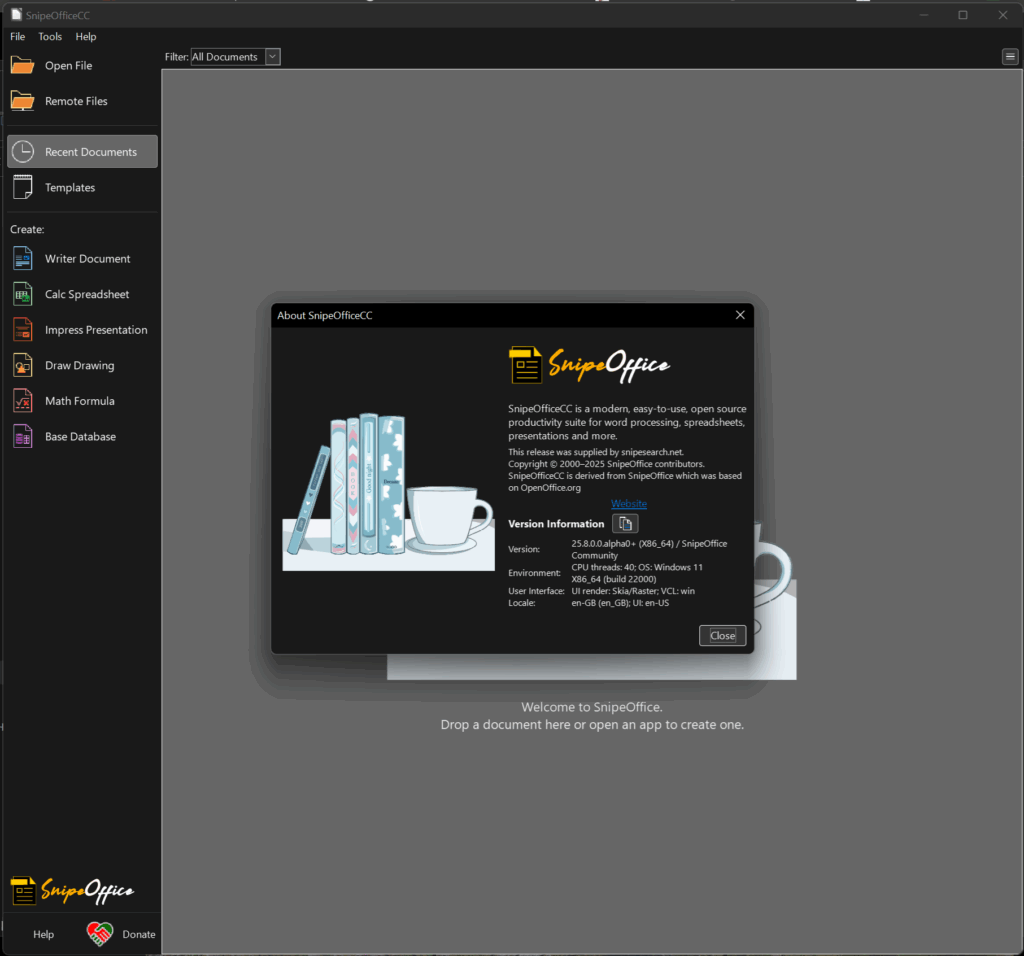
SnipeOffice 25.8 for Windows 10/11 (64-bit) is the BOM-first edition of SnipeOffice for modern Microsoft systems. It is built directly on LibreOffice 25, which already includes the modern filters and features that had to be backported to the legacy Mac PPC edition. On top of the LibreOffice 25 core, SnipeOffice for Windows adds the BOM-first export behaviour, modified filters, and branding so that multilingual documents, spreadsheets, presentations, and subtitles behave consistently across all platforms.
Download SnipeOffice 25.8 for Windows 10/11
SnipeOffice for Windows is available both as a portable build and as a traditional installer. The portable edition can be unpacked into any folder or external drive and run without touching the registry. The installer edition integrates SnipeOffice into Windows, adding “Open with” entries and file associations while leaving your existing default applications unchanged until you explicitly switch them.
Portable Edition (Windows 10/11, 64-bit)
The portable edition is designed for users who prefer not to install software system-wide or who work in locked-down environments. After downloading the portable ZIP, extract it, open the SnipeOfficePortable25.8\instdir\program folder, and launch Soffice.exe. All SnipeOffice components run directly from this folder, including Writer, Calc, Impress, Draw, and the filter engines that power the extended format support and BOM-first exports.
Installer Edition (Windows 10/11, 64-bit)
The installer edition behaves like a standard Windows desktop application. Download the installer, run it, and follow the on-screen steps. Once installation is complete, SnipeOffice registers its file types and adds right-click “Open with SnipeOffice” entries in Explorer. Existing default applications for DOCX, XLSX, PPTX, ODT, ODS, and other formats are not forcibly changed; if you decide you want SnipeOffice as the default later, you can adjust this from the Windows Settings or Control Panel file association options.
LibreOffice 25 Core with SnipeOffice Enhancements
Because SnipeOffice for Windows is built on LibreOffice 25, it includes the full, modern filter set: contemporary DOCX, XLSX, and PPTX workflows; Apple iWork filters such as Pages, Numbers, and Keynote; EPUB and other eBook formats; desktop publishing imports; and up-to-date spreadsheet, presentation, and drawing pipelines. The SnipeOffice layer adds the same filter modifications used in the PowerPC edition, without the need to backport them, because the underlying functionality already exists in LibreOffice 25. On Windows, this means you get current filters plus BOM-first encoding and encoding-safe pipelines with minimal overhead.
BOM-First Encoding on Windows
The defining feature of SnipeOffice is its BOM-first approach to CSV and text exports. On Windows 10/11, CSV and TXT files exported from Calc and Writer are written as UTF-8 with a Byte Order Mark by default. This applies to spreadsheet exports, plain-text saves, and the related UNO and filter paths that move data between components. When these CSV or TXT files contain Chinese, Japanese, Korean, Cyrillic, Arabic, or other Unicode characters, they open correctly in Notepad, import cleanly into web applications and back-office tools, and survive round-trips through systems that rely on BOM-tagged UTF-8. Subtitle workflows benefit from the same approach: .srt and .stl exported from SnipeOffice on Windows carry BOM-safe UTF-8 so that every symbol and character renders correctly in playback and editing tools.
Multilingual Document Handling
SnipeOffice for Windows is aligned with the project’s core goal of solving real-world multilingual problems. Spreadsheets and documents containing mixed-language data can be created and edited using the full LibreOffice 25 feature set, then exported as BOM-enabled CSV or UTF-8 text without extra configuration. This allows teams working with Chinese, Japanese, Russian, and other non-Latin scripts to pass files between Windows desktops, web systems, databases, and legacy applications without character corruption or manual re-encoding steps.
Format Coverage and Compatibility
On the document side, SnipeOffice for Windows inherits the modern LibreOffice 25 filters for DOCX, DOTX, legacy binary Word formats, Apple Pages, Markdown, EPUB, FictionBook, and other text and eBook formats. Templates, indexing exports, and Writer’s XML-based workflows remain available for structured publishing and archive tasks. For spreadsheets, the Windows build supports XLSX, template and macro-based Excel formats, Apple Numbers, Gnumeric, and Orcus-powered CSV, JSON, and XML pipelines, as well as Parquet export for data pipelines that target analytics or big data systems. Legacy spreadsheet formats such as Multiplan and Works Calc remain available so that older archives can be opened and migrated.
Presentations and layout workflows are handled via PowerPoint XML/VBA filters, Apple Keynote support, and imports for legacy PowerPoint versions, along with DTP-oriented formats such as PageMaker, QuarkXPress, and FreeHand. Draw and Impress benefit from modern graphics export and import, including SVG and SVGZ, WebP and APNG, EMZ and WMZ, and the usual raster targets like JPEG, PNG, TIFF, and others. This means Windows users can use SnipeOffice to prepare documents and slides for print, web, and video pipelines using the same filters as the Linux and legacy Mac builds.
Publishing, Reports, and XML Workflows
Publishing and reporting on Windows use the same StarBase Report and ReportChart filters that have been integrated elsewhere in SnipeOffice, alongside DocBook export filters and their associated XML and XSLT configuration dialogs. Updated UI panels for PDF export and XML-based filters expose critical settings without requiring external plugins or command-line tools. This keeps structured publishing, technical documentation, and reporting within the familiar office environment while preserving the BOM-first guarantees where CSV or text-based outputs are involved.
System Requirements
SnipeOffice 25.8 for Windows is a 64-bit application intended for Windows 10 and Windows 11. It requires a compatible 64-bit CPU and a reasonable amount of disk space for the core installation plus user profiles and temporary files. Performance and memory usage will scale with document complexity, but any modern Windows 10/11 system that comfortably runs LibreOffice 25 will also run SnipeOffice.
Microsoft Visual C++ Redistributable
SnipeOffice for Windows depends on the Microsoft Visual C++ 2015–2019 Redistributable. On systems where these components are missing, SnipeOffice may fail to launch or silently exit. If this happens, install the official redistributable packages from Microsoft and try again. For direct downloads you can use:
x86: //aka.ms/vs/16/release/vc_redist.x86.exe
x64: //aka.ms/vs/16/release/vc_redist.x64.exe
Unified Experience Across Platforms
By combining the LibreOffice 25 core with SnipeOffice’s BOM-first encoding model and updated filters, SnipeOffice 25.8 for Windows 10/11 delivers the same multilingual, encoding-safe office experience available on Linux and the PowerPC Mac edition. Documents, spreadsheets, presentations, and subtitles created on Windows can move between platforms without losing characters or structure, providing a consistent, cross-platform workflow for teams that rely on accurate multilingual data.
